A technical SEO audit can uncover hundreds of warnings. That doesn’t mean you need to fix hundreds of things. For a service business, the useful question is:
Which technical problems are stopping Google from finding important pages or making it harder for customers to contact you?
A broken service page matters more than a small warning on an old blog post. A noindex tag on a lead-generating page matters more than an SEO tool complaining about a minor formatting issue. Google’s minimum technical requirements are fairly simple. Googlebot needs to be able to access the page, the page needs to work with a successful HTTP response, and it needs indexable content. Meeting those requirements doesn’t guarantee indexing or rankings, but failing them can stop a page appearing properly in Search. Read Google’s technical requirements.
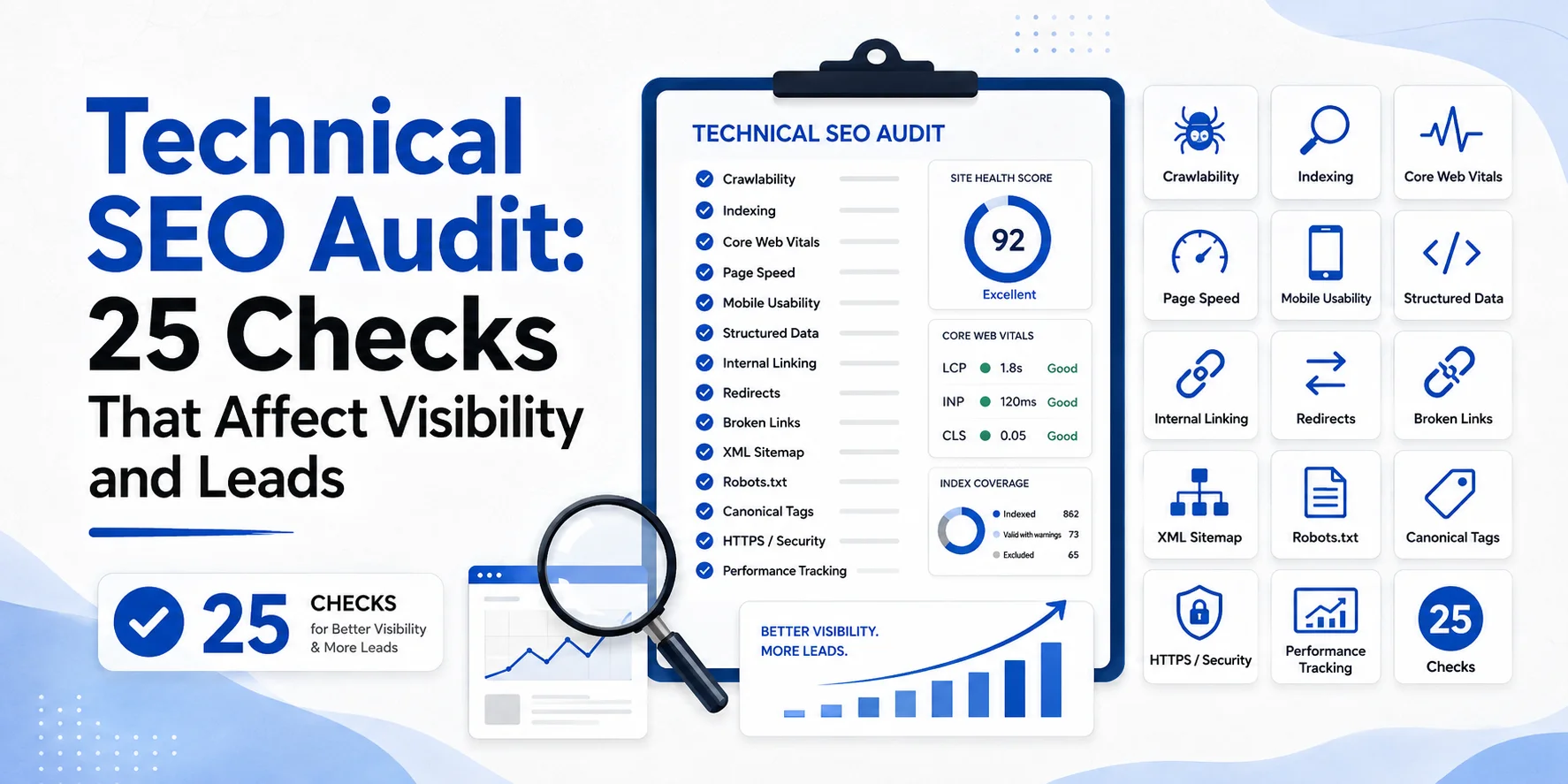
This technical SEO audit checklist covers 25 checks that can affect search visibility, website usability and lead generation.
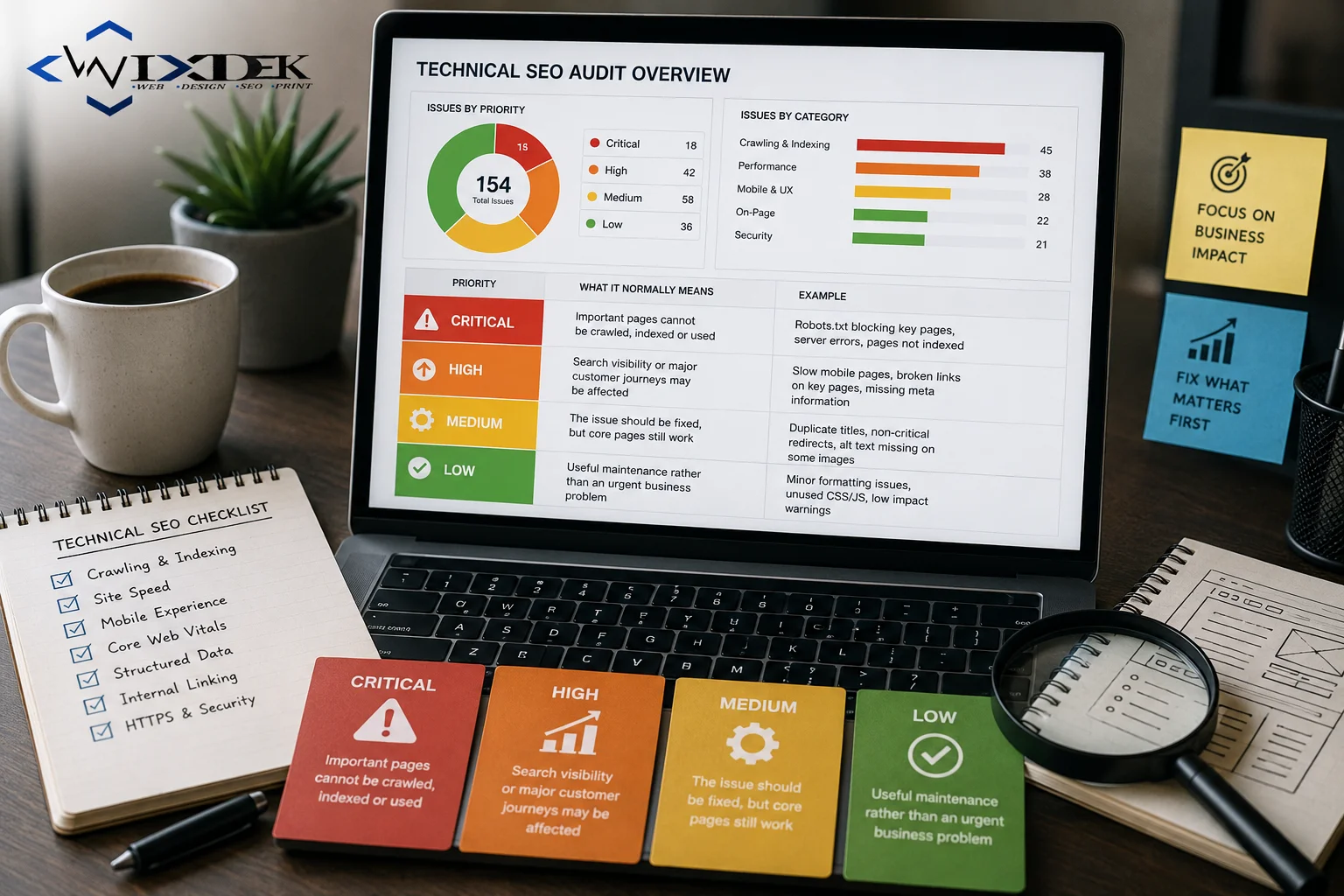
How to Prioritise Technical SEO Issues
Don’t start with the number of warnings. Start with business impact.
| Priority | What it normally means |
| Critical | Important pages cannot be crawled, indexed or used |
| High | Search visibility or major customer journeys may be affected |
| Medium | The issue should be fixed, but core pages still work |
| Low | Useful maintenance rather than an urgent business problem |
A technical error affecting your main “Emergency Electrician London” page should usually come before a minor issue on a five-year-old article. That principle applies throughout this audit.
1. Check Google Search Console and Analytics Tracking
What it affects: Measurement and lead reporting. Start by making sure your data is trustworthy. Google Search Console shows how your website performs before people reach it from Google Search. Google Analytics can help show what happens after they arrive. Google recommends using the two together because they measure different parts of the search journey. Read Google’s Search Console and Analytics guidance.
How to check: Compare Search Console clicks with organic activity in Analytics. Look for unexpected gaps after redesigns, plugin changes or tracking updates.
How to fix: Restore missing tags, correct broken implementations and test your important conversion paths again.
Priority: High.
2. Check Your Robots.txt File
What it affects: Crawling. Your robots.txt file tells crawlers which areas they can request. A simple mistake can block an important folder or service section. For example, a staging rule accidentally left live could stop Googlebot crawling commercial pages.
How to check: Review the live robots.txt file and compare blocked paths with the pages you want Google to access.
How to fix: Remove rules that unnecessarily block important crawlable content. Remember that robots.txt is mainly a crawling control. It is not the correct method for reliably removing a page from Google’s index. See Google’s crawling guidance.
Priority: Critical when important sections are blocked.
3. Check Noindex and Robots Directives
What it affects: Indexing. A page can be fully accessible and still be excluded from Google because it contains a noindex directive. Google states that when it crawls an accessible page with a valid noindex rule, that page is removed from Google Search results. Read Google’s noindex guidance.
How to check: Crawl important URLs and inspect robots meta tags and X-Robots-Tag headers.
How to fix: Remove accidental noindex directives from pages that should appear in search.
Priority: Critical on commercial pages.
4. Check HTTP Status Codes
What it affects: Crawlability and indexability. An important page should normally return a successful 200 response when it is supposed to be available. Google’s technical requirements state that pages returning client or server errors are not eligible for normal indexing in the same way as working pages.
How to check: Crawl the site and review status codes for important service, category and location pages.
How to fix: Restore broken pages, correct server configuration or redirect genuinely replaced URLs.
Priority: Critical when important pages fail.
5. Check the XML Sitemap
What it affects: URL discovery. Your XML sitemap should mainly contain URLs you want search engines to discover and consider for search. Google recommends using full canonical URLs in sitemaps and including pages you want to appear in search results. A sitemap helps discovery but does not guarantee indexing. Read Google’s sitemap guidance.
How to check: Compare sitemap URLs with your crawl and indexing data.
How to fix: Remove unwanted, redirected or broken URLs and add important canonical pages that are missing.
Priority: High when important URLs are absent or incorrect.
6. Audit Canonical URLs
What it affects: Which version of a page Google treats as the main URL. Canonical problems can make search performance difficult to understand. A service page may accidentally point its canonical to another URL, or several duplicate versions may send conflicting signals. Google treats redirects and rel=”canonical” as strong canonicalisation signals, while sitemap inclusion is a weaker signal. Read Google’s canonical guidance.
How to check: Compare declared canonicals with the URLs Google selects in Search Console.
How to fix: Make canonical signals consistent and point duplicate versions towards the genuinely preferred URL. For the deeper process, read canonical URLs explained for WordPress and service websites.
Priority: High when key commercial pages are affected.
7. Look for Duplicate and Parameter URLs
What it affects: Crawling efficiency and canonicalisation. One page can sometimes be available through several URL versions. Filters, tracking parameters, print pages and CMS settings can create unnecessary duplicate URLs.
How to check: Crawl the website and group pages with the same or nearly identical main content.
How to fix: Decide which URLs need to exist, then use suitable canonical, redirect or crawling controls. Do not simply noindex everything a crawler labels “duplicate”. First understand why the URLs exist.
Priority: Medium to high depending on scale.
8. Find Broken Internal URLs
What it affects: User journeys and crawling. A visitor clicking from a service page to a useful guide should not end up on a 404 page. The same applies to Googlebot.
How to check: Crawl internal links and identify links pointing to 4xx URLs.
How to fix: Update links to the correct live destination. If the old URL has genuinely been replaced, use an appropriate redirect where needed.
Priority: High when important customer journeys are broken.
9. Check Server and 5xx Errors
What it affects: Crawling, indexing and availability. A page cannot help customers if the server regularly fails to load it. Google also reduces crawling when a server struggles to respond reliably. Its crawling guidance notes that serving-capacity problems can affect crawl activity. Read Google’s crawling-error guidance.
How to check: Review crawl errors, Search Console Crawl Stats and server logs where available.
How to fix: Investigate hosting, application errors, database problems or overloaded infrastructure.
Priority: Critical when failures are widespread.
10. Audit Redirect Chains and Loops
What it affects: Crawling and user experience. A clean redirect moves somebody from an old URL to the correct replacement. A poor setup may send: A → B → C → D or even create a loop. Google specifically warns that long redirect chains can hurt crawling efficiency.
How to check: Crawl redirects and identify multiple-step chains and loops.
How to fix: Where possible, point the original URL directly to the final relevant destination.
Priority: High for important URLs.
11. Check Redirect Relevance
What it affects: Page consolidation and user journeys. A technically working redirect can still be wrong. For example, deleting a boiler-repair page and redirecting everybody to the homepage may not give users the replacement they expected. Google distinguishes permanent and temporary redirects and uses permanent redirects as a signal that the destination should become canonical. Read Google’s redirect guidance.
How to check: Review the destination of important redirects manually.
How to fix: Redirect replaced content to the closest genuine equivalent.
Priority: High after migrations or restructures.
12. Check Site Migration Changes
What it affects: Rankings, crawling and indexing. Website redesigns and migrations are common points where technical SEO errors appear. Old URLs may disappear. Redirects may be wrong. Staging noindex rules may stay live. Google lists incorrect redirects, forgotten robots or noindex restrictions and outdated sitemaps among common migration mistakes. See Google’s site-migration guidance.
How to check: Compare the old and new URL lists and review Search Console after launch.
How to fix: Correct redirects, indexing controls, internal links, sitemaps and canonical signals.
Priority: Critical after a problematic migration.
13. Check Whether Internal Links Are Crawlable
What it affects: Discovery and site understanding. Important pages should be linked in a way search engines can follow. Google recommends standard crawlable <a> links with useful anchor text. Read Google’s link best practices.
How to check: Crawl the website and inspect navigation, service links and JavaScript-generated links.
How to fix: Make important navigation and contextual links properly crawlable.
Priority: High for important pages.
14. Find Orphan Pages
What it affects: Discovery and authority flow. An orphan page is a live URL with no useful internal links pointing to it. Not every orphan URL is automatically an SEO problem. Some pages may intentionally sit outside normal navigation. But an important service page with no internal links deserves attention.
How to check: Compare crawl data with your sitemap, Search Console and analytics URLs.
How to fix: Add relevant internal links if the page genuinely belongs in the customer and site journey.
Priority: High for important commercial pages.
15. Review Site Architecture and Click Depth
What it affects: Navigation and discovery. Your most useful pages should not be buried behind a maze of unnecessary navigation. There is no universal Google rule that every page must be exactly three clicks from the homepage. The better question is whether users and crawlers can reach important pages through a clear site structure.
How to check: Review crawl depth alongside the real menu and customer journey.
How to fix: Simplify unnecessary layers and strengthen links to priority services.
Priority: Medium to high.
16. Check Breadcrumb Navigation
What it affects: Site navigation and hierarchy. Breadcrumbs can help visitors understand where they are within a website. Google also supports BreadcrumbList structured data to provide information about page hierarchy. Read Google’s breadcrumb guidance.
How to check: Review visible breadcrumbs and validate any breadcrumb structured data.
How to fix: Make the hierarchy accurate and make sure breadcrumb links point to working pages.
Priority: Medium.
17. Check Mobile Rendering
What it affects: Indexing and customers. Google uses the mobile version of a website’s content for mobile-first indexing. That means an important section cannot be useful only on desktop. Open your priority service pages on a real phone. Check whether important text, navigation, forms and calls to action remain available.
How to check: Compare desktop and mobile content and use URL Inspection where needed.
How to fix: Use a responsive setup and ensure important content and links remain available on mobile.
Priority: High.
18. Check JavaScript Rendering
What it affects: Whether Google can see important content and links. Google can process JavaScript, but JavaScript-powered sites can still develop rendering problems. Google explains that JavaScript pages move through crawling, rendering and indexing stages. Read Google’s JavaScript SEO guidance.
How to check: Use URL Inspection and compare the rendered page with what users see.
Pay special attention to service descriptions, navigation and internal links loaded through JavaScript.
How to fix: Make important content reliably available in the rendered HTML. Where appropriate, consider server-side or static rendering rather than relying on fragile client-side behaviour.
Priority: High when key content is missing.
19. Audit Core Web Vitals
What it affects: Page experience and usability.
Google’s current Core Web Vitals measure:
- LCP for loading performance.
- INP for responsiveness.
- CLS for visual stability.
Google’s recommended good thresholds are LCP within 2.5 seconds, INP below 200 milliseconds and CLS below 0.1. Read Google’s Core Web Vitals guidance.
How to check: Use the Core Web Vitals report in Search Console and PageSpeed Insights.
How to fix: The solution depends on the problem. It may involve server response, images, scripts, fonts, caching or layout stability. Don’t chase a perfect score while your enquiry form is broken.
Priority: High when performance affects important journeys.
20. Check HTTPS and HTTP Redirects
What it affects: Security and user trust. Your live website should use HTTPS. Google recommends HTTPS for website and user security.
How to check: Test whether HTTP versions of key URLs redirect cleanly to HTTPS. Also check whether multiple versions such as www and non-www are handled consistently.
How to fix: Install and maintain a valid certificate and redirect old HTTP URLs to the preferred HTTPS versions.
Priority: High.
21. Check for Mixed Content
What it affects: Security and page behaviour. A page can use HTTPS while still requesting an old image, script or stylesheet through HTTP. That can create mixed-content problems in browsers.
How to check: Inspect browser developer tools and crawl page resources.
How to fix: Update internal resources and external asset URLs to secure HTTPS versions where available.
Priority: Medium to high when functionality is affected.
22. Validate Structured Data
What it affects: Google’s understanding of eligible page information and potential rich-result features. Structured data is useful when it accurately describes visible content. It is not a trick for forcing rankings. Google says valid structured data can make content eligible for supported search features, but correct markup does not guarantee that a rich result will appear. Read Google’s structured-data guidelines.
How to check: Use Google’s Rich Results Test and inspect Search Console enhancement reports where relevant.
How to fix: Correct invalid properties and remove markup that does not match the actual visible page. For a service business, relevant markup may include supported types such as Organisation, LocalBusiness, Article or Breadcrumb where they genuinely apply.
Priority: Medium.
23. Check Hreflang on International Websites
What it affects: Language and regional targeting. Skip this check if your website only serves one language and one market. If you have UK, US, French or other regional versions, review hreflang. Google recommends telling it about alternate language or regional versions so it can better understand those relationships. Read Google’s international-site guidance.
How to check: Confirm alternate URLs reference the correct language or regional versions and include reciprocal references.
How to fix: Correct missing, conflicting or invalid annotations.
Priority: High for multilingual or multi-regional sites. Not applicable to many local UK businesses.
24. Check Images and Lazy-Loaded Content
What it affects: Performance, accessibility and content discovery. Images can slow a service page when they are unnecessarily large. Poor lazy loading can also hide important content if it depends on a user action that a crawler does not perform. Google recommends making lazy-loaded content available when it becomes visible rather than requiring actions such as clicking or scrolling to trigger essential content. Read Google’s lazy-loading guidance.
Google also recommends useful descriptive alt text for meaningful images rather than stuffing keywords into alt attributes. Read Google’s image SEO guidance.
How to check: Review image file sizes, rendered pages, lazy-loading behaviour and important alt text.
How to fix: Compress oversized images, use suitable formats and ensure important images and content remain discoverable.
Priority: Medium to high depending on performance.
25. Test Conversion Tracking and Lead Paths
What it affects: Leads and your ability to judge whether SEO is working. A technical SEO audit should not stop at Googlebot. Your customer needs to be able to complete the journey too. Imagine an electrician ranks well for an emergency service, but the phone button fails on mobile. Technically, the URL may still rank. Commercially, the page is broken.
How to check: Test important forms, phone links, booking systems, thank-you pages and conversion events yourself. Then confirm the activity is recorded in Analytics or your agreed tracking system.
How to fix: Repair broken forms, buttons or events and test again after deployment.
Priority: Critical when leads are being lost.
Your 25-Point Technical SEO Checklist
Use this shorter table during an audit.
| # | Technical SEO check | Priority |
| 1 | Search Console and Analytics tracking | High |
| 2 | Robots.txt | Critical where blocked |
| 3 | Noindex and robots directives | Critical |
| 4 | HTTP status codes | Critical |
| 5 | XML sitemap | High |
| 6 | Canonical URLs | High |
| 7 | Duplicate and parameter URLs | Medium/High |
| 8 | Broken internal URLs | High |
| 9 | Server and 5xx errors | Critical |
| 10 | Redirect chains and loops | High |
| 11 | Redirect relevance | High |
| 12 | Migration changes | Critical after migration |
| 13 | Crawlable internal links | High |
| 14 | Orphan pages | High on key URLs |
| 15 | Site architecture and depth | Medium/High |
| 16 | Breadcrumbs | Medium |
| 17 | Mobile rendering | High |
| 18 | JavaScript rendering | High |
| 19 | Core Web Vitals | High where poor |
| 20 | HTTPS redirects | High |
| 21 | Mixed content | Medium/High |
| 22 | Structured data | Medium |
| 23 | Hreflang | High when applicable |
| 24 | Images and lazy loading | Medium/High |
| 25 | Conversion and lead tracking | Critical |
Download title: 25-Point Technical SEO Audit Checklist Suggested CTA: Download the Technical SEO Checklist
Don’t Treat Every Technical Warning as Equal
This is where many website technical audits go wrong. Imagine a London plumber receives four warnings: The main emergency page has accidentally been set to noindex. Three internal links point to deleted pages. One large image slows an old article. A crawler reports a minor structured-data warning. These shouldn’t all receive the same priority. The noindex problem affects an important commercial page and may stop it appearing in Search.
That comes first. The broken customer links deserve attention next. The image and non-critical markup warning can wait until higher-impact problems are dealt with. A tool can find the problem. It cannot fully understand the commercial value of the page.
A Simple Technical SEO Priority Matrix
| Business impact | Difficulty | What to do |
| High | Low | Fix immediately |
| High | Medium | Schedule next |
| High | High | Scope developer resources |
| Medium | Low | Complete after urgent issues |
| Medium | High | Check likely return |
| Low | Low | Maintenance |
| Low | High | Usually wait |
This is the approach Wixdek uses when turning technical SEO errors into a real implementation plan.
From Technical Finding to Completed Fix
A technical audit isn’t finished when a crawler exports a spreadsheet. Imagine an important London boiler-repair page has an accidental noindex rule. First, confirm that the URL should appear in Search. Then identify where the rule comes from. It may be a CMS setting, SEO plugin, template or HTTP header. Remove the incorrect directive. Crawl the page again.
Use Search Console to confirm Google can access the updated URL. Then monitor the page. The useful process is:
Find → Confirm → Prioritise → Fix → Test → Monitor
That final testing step matters. A task should not be marked complete simply because somebody changed a setting.
Technical SEO and AI Crawler Access
You may also see audit tools reporting whether AI or other non-search crawlers can access the website. Treat this separately from Google Search indexing. Blocking a third-party AI crawler does not automatically mean Googlebot is blocked or that your Google rankings will fall. Review each crawler according to your business, content and data-use policy. For Google Search, your main technical concern remains whether the relevant Google crawler can access and understand the pages you want available in Search. Google’s technical documentation explains the crawling and indexing controls that apply to Google Search.
How Wixdek Prioritises a Technical SEO Issue
Imagine an important service page has accidentally been set to noindex after a website update.
What we found:
The page could be crawled, but the noindex directive told Google not to include it in search results.
What it affected:
Because it was an important service page, the issue could affect organic visibility and reduce the number of potential customers reaching that service through Google.
What Wixdek would change:
We would first confirm that the page should be indexed, find where the noindex rule was coming from and remove the incorrect directive.
How we would check it:
After the fix, we would crawl the URL again and use Google Search Console URL Inspection to confirm that Google can access the updated page. This is why technical SEO issues should be judged by their business impact. A noindex problem on an important service page deserves attention before minor warnings on pages that have little effect on visibility or leads.
Example: A Technical Problem Can Be a Lead Problem
Imagine a London service company has a page that ranks for a valuable commercial query. Search visibility looks fine. But its mobile enquiry form stopped working after a website update. A ranking report may not show anything alarming. The business still loses potential customers. That is why this checklist includes conversion tracking alongside crawling and indexing.
Technical SEO should support both visibility and a working customer journey.
How Wixdek Approaches a Technical SEO Audit
At Wixdek, we don’t prioritise an issue simply because an audit tool labels it “critical”. We first look at the page involved. Does it generate leads? Is it an important service? Is Google unable to crawl or index it? Is a technical problem affecting customers? Then we look at the effort needed to fix it.
This helps separate urgent implementation from routine maintenance. For example, an accidental noindex rule on a high-value service page would normally take priority over minor warnings on old low-value content. The aim is not to produce the longest possible audit. It is to identify technical work that actually matters.
What Should You Do After the Audit?
Start with issues that affect crawling, indexing, important commercial pages and conversion paths. Assign each task to the right person. Some fixes may belong to an SEO specialist. Others need a developer. Tracking problems may require analytics work. Then retest each important change. If you need a wider audit that also covers content, Local SEO, authority and conversions, read our SEO audit checklist for UK service businesses.
If your traffic or visibility has already fallen, read why your website rankings dropped to diagnose the cause before making random changes.
Request a Technical SEO Audit
If important pages aren’t being crawled, indexed or used as expected, Wixdek can help you find what deserves attention first. Our Technical SEO services cover technical auditing and implementation across crawling, indexation, canonicalisation, redirects, website structure, performance and other technical issues. For wider SEO strategy, content and ongoing implementation, explore our SEO services in London.
Request a Technical SEO Review
Frequently Asked Questions
What Is a Technical SEO Audit?
A technical SEO audit checks whether search engines can access, crawl, render and understand important pages. It also reviews website performance, redirects, structured data and tracking.
What Should a Technical SEO Audit Include?
It should cover crawling, indexing, robots rules, sitemaps, canonicals, status codes, redirects, internal links, mobile rendering, JavaScript, Core Web Vitals, HTTPS, structured data and conversion tracking.
How Do I Know Which Technical SEO Errors to Fix First?
Prioritise issues by their effect on important pages, search visibility and customers. A critical problem on a lead-generating page normally matters more than a minor warning elsewhere.
Can Technical SEO Problems Cause Rankings to Drop?
Yes. Problems that stop Google crawling, rendering or indexing important pages can affect search visibility. However, a ranking decline can also come from content, intent, competition or search changes.
What Causes Website Indexing Problems?
Common causes can include crawler blocks, noindex rules, errors, duplicate URLs, canonicalisation problems or pages that Google has discovered but has not chosen to index.
What Is a Canonical URL Audit?
A canonical URL audit checks whether duplicate or similar pages send clear and consistent signals about which URL should be treated as the preferred version.
Are Core Web Vitals Important for SEO?
Core Web Vitals are part of page experience and measure loading, responsiveness and visual stability. They should be improved for users, but a perfect score does not guarantee top rankings.
Does an XML Sitemap Guarantee Indexing?
No. A sitemap helps Google discover URLs but does not guarantee that every submitted page will be indexed.
Should Every 404 Page Be Redirected?
No. If a page has a genuine relevant replacement, a redirect may make sense. If content is permanently gone with no suitable replacement, a normal removed-page response can be appropriate.
How Often Should You Run a Technical SEO Audit?
Run a fuller audit after major website changes, redesigns or migrations, and when unexplained indexing or visibility problems appear. Important technical health can also be monitored during ongoing SEO work.