An SEO audit should not leave you with hundreds of warnings and no clear plan.
For a UK service business, the real question is:
What is stopping customers from finding your website and making an enquiry?
A useful audit checks whether Google can access your important pages, whether your content matches customer searches, whether visitors can contact you easily and whether your tracking measures real enquiries.
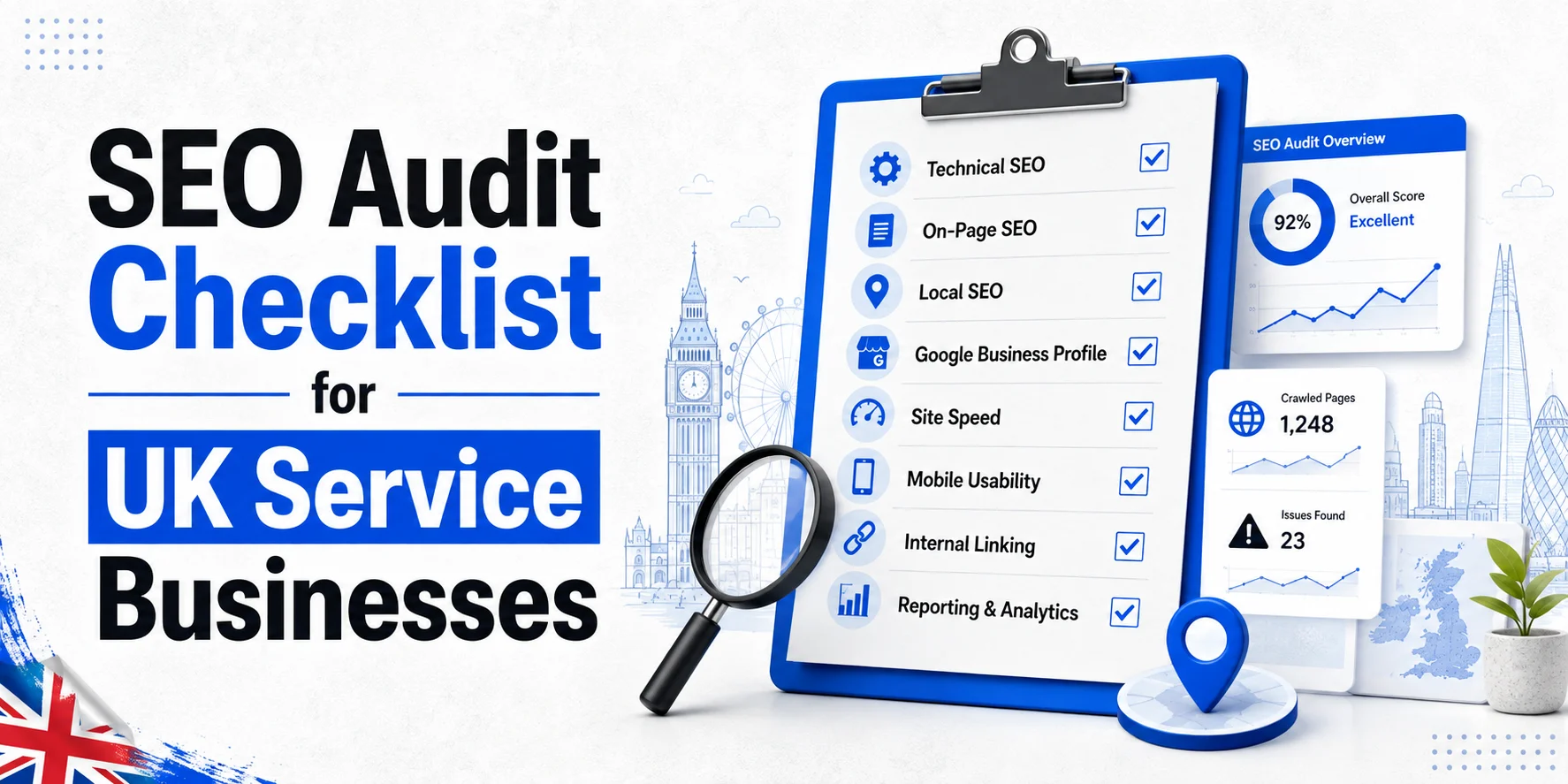
This SEO Audit Checklist covers the essential checks for UK service businesses, including technical SEO, local visibility, content, conversions and implementation priorities.
SEO Audit Checklist: What Should You Review?
A practical audit should cover seven core areas.
| Audit Area | What to Check |
| Tracking | Are calls, forms and bookings measured correctly? |
| Crawling and indexing | Can Google access important pages? |
| Technical SEO | Are technical issues affecting visibility? |
| Content and search intent | Do pages match customer searches? |
| Local SEO | Are business details and service areas accurate? |
| Conversions | Can visitors easily call, enquire or book? |
| Authority | Does the website have relevant, trustworthy links? |
Every important finding should have:
- a priority;
- an owner;
- a deadline;
- a way to confirm the fix.
That turns an audit into an action plan.
1. Start With Business Goals and Tracking
Before running a crawl, define what SEO should achieve.
A London plumber may want emergency calls.
A cleaning company may want contract enquiries.
A chauffeur company may want airport-transfer bookings.
These goals help you decide which issues matter most.
Google Search Console and Google Analytics can support this review.
Search Console shows how your website performs in Google Search. Analytics shows what visitors do after arriving.
Google explains how to use Search Console and Analytics together to understand search performance and website activity.
Check Your Main Conversions
Identify the actions that create business value.
These may include:
- connected phone calls;
- successful enquiry forms;
- completed bookings;
- confirmed quote requests;
- relevant WhatsApp enquiries.
Test every important action.
A phone-number click is not proof that a call connected.
A submit-button click does not prove the form was delivered successfully.
Track completed outcomes wherever possible.
Priority: High
If tracking is unreliable, you cannot judge SEO performance properly.
2. Check Crawling and Indexing
Google must be able to access important pages before they can appear properly in search.
Start with:
- homepage;
- main service pages;
- important location pages;
- high-value landing pages.
Check Priority URLs
Look for pages that are:
- blocked by robots.txt;
- returning errors;
- carrying an accidental noindex;
- restricted behind a login;
- missing indexable content.
Robots.txt and noindex do different jobs.
Robots.txt controls crawling.
Noindex tells search engines not to index an accessible page.
Read Google’s noindex guidance before changing these settings.
Review the XML Sitemap
Your sitemap should contain the main URLs you want search engines to discover.
Check for:
- broken URLs;
- redirected URLs;
- unwanted pages;
- missing priority pages.
Google’s sitemap guidance explains how sitemaps support discovery.
Priority: Critical when important service or location pages cannot be indexed.
3. Technical SEO Checks
Technical tools can produce hundreds of warnings.
Do not treat them all equally.
Focus on issues affecting important pages, visibility or customer journeys.

Review Redirects and Broken URLs
Check whether:
- old URLs redirect correctly;
- internal links point to live pages;
- redirect chains are unnecessary;
- redirect loops exist;
- broken links lead users nowhere.
An old boiler-repair page should redirect to the most relevant replacement, not automatically to the homepage.
Check Canonical URLs
Canonical tags help indicate the preferred URL when similar pages exist.
Review important service and location pages.
A plumbing page should not accidentally point to an unrelated service as its canonical.
In Search Console, compare:
- user-declared canonical;
- Google-selected canonical.
Google may choose a different page if its signals suggest another URL is more suitable.
Read Google’s canonical troubleshooting guidance for more detail.
Priority: High when important URLs have broken redirects or incorrect canonical signals.
4. Check Mobile Experience and Core Web Vitals
Many service customers search on mobile and want help quickly.
Open your main pages on a real phone.
Check whether:
- text is readable;
- buttons work;
- forms fit the screen;
- telephone numbers are easy to tap;
- important content stays visible.
Review Core Web Vitals
Core Web Vitals include:
- Largest Contentful Paint (LCP);
- Interaction to Next Paint (INP);
- Cumulative Layout Shift (CLS).
Use PageSpeed Insights to identify performance problems.
Do not chase a perfect score while ignoring a broken booking form or slow service page.
Priority: High when mobile problems affect enquiries.
5. Audit Main Service Pages
A page can be technically healthy and still fail to attract the right customers.
Review each important service page from the user’s perspective.
Can visitors quickly understand:
- what the service is;
- who it is for;
- where it is available;
- how the process works;
- what to do next?
A London office-cleaning page should explain the actual service and how to request a quote.
It should not read like a generic article about cleaning.
Check Search Intent
Search intent describes what the person wants.
Compare:
Emergency electrician London
with:
Why does my fuse box keep tripping?
The first is commercial.
The second is informational.
Service pages should match commercial intent.
Guides should answer informational questions.
Review Keyword-to-Page Mapping
Each important search theme should have a suitable destination.
Problems appear when several pages target the same intent without offering different value.
Review overlapping pages before deciding whether to:
- merge;
- improve;
- redirect;
- differentiate.
Review Titles and Meta Descriptions
Important pages should have clear, descriptive titles.
Avoid repetitive keywords and unnecessary location stuffing.
Google’s title-link guidance recommends concise, descriptive titles.
Meta descriptions should explain the page naturally.
Review Internal Links
Internal links should help users move between relevant pages.
For example, a boiler-problem article may link to a boiler-repair service page.
Use descriptive anchor text and relevant destinations.
Do not add repetitive exact-match links just to satisfy an SEO plugin.
Priority: High when core service pages have weak intent or poor content.
6. Local SEO Audit
Local SEO is essential for businesses serving specific towns, cities or neighbourhoods.
Check whether Google and customers can understand where you operate.
Review Google Business Profile
Check:
- business name;
- primary category;
- phone number;
- website;
- services;
- opening hours;
- location details.
The profile should represent the real business.
Do not add unnecessary keywords to the business name or list services you do not provide.
Check Service-Area Settings
Google treats shopfront and service-area businesses differently.
A service-area business travels to customers.
If customers do not visit your address, your profile should normally hide it.
Use genuine service areas only.
Google also restricts virtual-office listings that do not meet its requirements.
Read the official Google Business Profile guidelines before changing settings.
Check Business Information Elsewhere
Review important directories and industry websites.
Correct outdated:
- phone numbers;
- addresses;
- website links;
- business details.
Focus on accuracy rather than creating large numbers of low-quality listings.
Review Location Pages
Each location page should provide useful information for that area.
A Bromley pest-control page should explain services genuinely available in Bromley.
Do not create dozens of near-identical location pages by changing only the town name.
Check LocalBusiness Structured Data
Review whether LocalBusiness markup accurately describes the business.
Use Google’s Rich Results Test where appropriate.
Do not add false addresses, reviews or services.
Priority: High when local business information is inaccurate.
7. Audit Conversion Paths
SEO traffic only matters when visitors can take useful actions.
Open priority landing pages and follow the customer journey.
Can users easily:
- call;
- request a quote;
- book;
- submit an enquiry?
Test Forms, Calls and Bookings
Submit every important form.
Confirm:
- the business receives it;
- tracking records it;
- confirmation works.
For calls, distinguish phone-link clicks from genuine calls.
For bookings, make sure the process reaches the final confirmation stage.
Priority: Critical when customers cannot complete enquiries.
8. Review Existing Content
A content audit helps identify pages that need:
- updating;
- merging;
- improving;
- removing.
Do not delete a page simply because it had low traffic last month.
Check whether it:
- answers a useful question;
- supports a service;
- attracts relevant searches;
- earns useful links.
For important pages, review:
- search intent;
- accuracy;
- internal links;
- performance.
Google’s Search Essentials explain the technical and quality foundations for appearing in Search.
Priority: Medium, unless an important commercial page has a serious problem.
9. Review Backlinks and Authority
A backlink audit should focus on relevance and quality rather than raw link count.
A UK service business may naturally earn links from:
- suppliers;
- trade bodies;
- local partners;
- relevant publications.
These can be more useful than unrelated sites created mainly for link placement.
Investigate suspicious patterns, but do not assume every unfamiliar link needs removing.
Priority: Medium, unless there is a serious link-related issue.
10. Review UK Privacy and Tracking Compliance
Privacy and tracking checks belong in a wider website review.
They should not be presented as direct ranking factors.
UK businesses should review:
- privacy notices;
- analytics settings;
- cookies;
- tracking technologies;
- consent mechanisms.
The ICO updated its guidance in April 2026.
Review the ICO’s guidance on storage and access technologies alongside its cookie and privacy guidance.
Keep compliance priorities separate from SEO ranking priorities.
11. SEO Audit Checklist Prioritisation
A useful SEO Audit Checklist should rank issues by business impact and difficulty.
| Business Impact | Difficulty | Recommended Action |
| High | Low | Fix first |
| High | Medium | Plan immediately |
| High | High | Assign resources and deadline |
| Medium | Low | Fix after urgent issues |
| Medium | High | Compare cost with likely benefit |
| Low | Low | Add to routine maintenance |
| Low | High | Usually defer |
The same technical issue can have different priorities depending on the page.
A broken service page may be urgent.
The same problem on an unused archive may not be.
12. Practical Priority Example
Imagine a London plumbing company finds four issues.
| Finding | Business Impact | Difficulty | Priority |
| Quote form not recording submissions | High | Low | Critical |
| Emergency page has noindex | Very high | Low | Critical |
| Boiler-repair page has weak content | High | Medium | High |
| Five old blog titles could be shorter | Low | Low | Low |
The first two need immediate attention.
The tracking problem prevents reliable measurement.
The noindex may stop an important page appearing in search.
The old blog titles can wait.
13. From Finding to Fix
Finding the issue is only the first step.
A useful process is:
Find → Assess → Assign → Fix → Test → Monitor
For example, if a boiler-repair page has an accidental noindex:
- Confirm the page should be indexed.
- Assign the fix.
- Remove the noindex.
- Test the page again.
- Monitor indexing in Search Console.
Record what was fixed and what remains outstanding.
14. Wixdek SEO Audit Process
At Wixdek, an audit should connect website problems with business goals.
The review starts with:
- priority services;
- important locations;
- customer actions;
- tracking.
Then it checks:
- crawling;
- indexing;
- technical SEO;
- content;
- local visibility;
- internal links;
- conversions.
Every important finding should answer:
- What is wrong?
- Why does it matter?
- Who should fix it?
- How will completion be tested?
That makes the audit useful for both business owners and implementation teams.
15. UK Service Business SEO Audit Checklist
Use this SEO Audit Checklist to review your website and track progress.
| SEO Audit Check | Done | Default Priority |
| Business goals defined | ☐ | High |
| Search Console configured | ☐ | High |
| Analytics checked | ☐ | High |
| Completed enquiries tracked | ☐ | Critical |
| Connected calls separated from clicks | ☐ | High |
| Priority pages crawlable | ☐ | Critical |
| Priority pages indexable | ☐ | Critical |
| Robots.txt reviewed | ☐ | High |
| Noindex directives correct | ☐ | Critical |
| XML sitemap contains preferred URLs | ☐ | Medium |
| Important redirects work | ☐ | High |
| Broken links reviewed | ☐ | Medium |
| Canonical URLs correct | ☐ | High |
| Google-selected canonicals checked | ☐ | High |
| Mobile enquiry journeys work | ☐ | Critical |
| Core Web Vitals reviewed | ☐ | Medium |
| Service pages match search intent | ☐ | High |
| Titles are descriptive | ☐ | Medium |
| Internal links support key pages | ☐ | Medium |
| Google Business Profile accurate | ☐ | High |
| Service-area settings correct | ☐ | High |
| Location pages reflect real coverage | ☐ | High |
| LocalBusiness schema accurate | ☐ | Medium |
| Forms, calls and bookings tested | ☐ | Critical |
| Existing content reviewed | ☐ | Medium |
| Backlink relevance checked | ☐ | Medium |
| Privacy/tracking compliance reviewed | ☐ | Separate review |
| Issues ranked by impact | ☐ | High |
| Difficulty recorded | ☐ | High |
| Owners assigned | ☐ | High |
| Deadlines agreed | ☐ | High |
| Fixes retested | ☐ | High |
This is the core working version of the SEO Audit Checklist.
16. What Should Happen After an SEO Audit?
Once the audit is complete, turn the findings into assigned tasks.
Technical issues may need a developer or SEO specialist.
Service-page improvements may need content and SEO support.
Local SEO problems may need business-information updates.
Set deadlines and define how each fix will be tested.
An audit only creates value when the findings are implemented.
17. When Should You Audit Again?
You do not need a full audit every week.
Focused checks are useful after:
- redesigns;
- migrations;
- tracking changes;
- major content updates;
- unexplained traffic drops.
For ongoing SEO, review important technical issues, Search Console data and enquiry tracking regularly.
A full audit is more useful when the website or business has changed significantly.
Do Not Let the Audit Become the Work
An audit report will not improve the website by itself.
Start with problems affecting:
- important pages;
- customer journeys;
- enquiries;
- measurement.
Fix those first.
Then move to lower-priority content and authority work.
The goal is not to eliminate every warning.
It is to make the website easier to find, understand and use.
Need Help With an SEO Audit Checklist?
If your website has indexing problems, tracking gaps or important pages that are not performing, Wixdek can help identify the issues that deserve attention first.
For broader search strategy, content, Local SEO and ongoing support, explore our SEO services in London.
Request an SEO Audit Review to turn your SEO Audit Checklist into a prioritised implementation plan.
Frequently Asked Questions
What is an SEO Audit Checklist?
An SEO Audit Checklist is a structured list of checks used to review technical SEO, content, local visibility, tracking, conversions and other factors affecting search performance.
What should an SEO Audit Checklist include?
It should include crawling, indexing, technical SEO, search intent, service pages, internal links, local SEO, tracking, conversions and backlinks.
How do I use an SEO Audit Checklist for a small business?
Start with business goals and tracking, then review indexing, technical SEO, important service pages, local visibility and conversion paths.
What is the most important part of an SEO audit?
The most important issues are usually those affecting priority pages, customer enquiries or measurement.
How often should I use an SEO Audit Checklist?
Use focused checks after major website changes and run a broader audit when the site, business or search performance changes significantly.
Can I do an SEO audit myself?
Yes. Basic checks can be completed with Search Console, Analytics and SEO crawling tools.
More complex technical problems may need specialist support.
Is a technical SEO audit the same as a full SEO audit?
No.
Technical SEO is one part of a wider audit that may also include content, local SEO, tracking, conversions and authority.
Does an SEO audit improve rankings?
An audit identifies problems and opportunities.
Rankings improve only when useful changes are implemented successfully.
Should I fix every SEO warning?
No.
Prioritise issues by business impact and difficulty.
Minor warnings should not delay urgent fixes.
Which tools are useful for an SEO audit?
Useful tools include:
- Google Search Console;
- Google Analytics;
- PageSpeed Insights;
- Screaming Frog.
Each supports a different part of the audit.