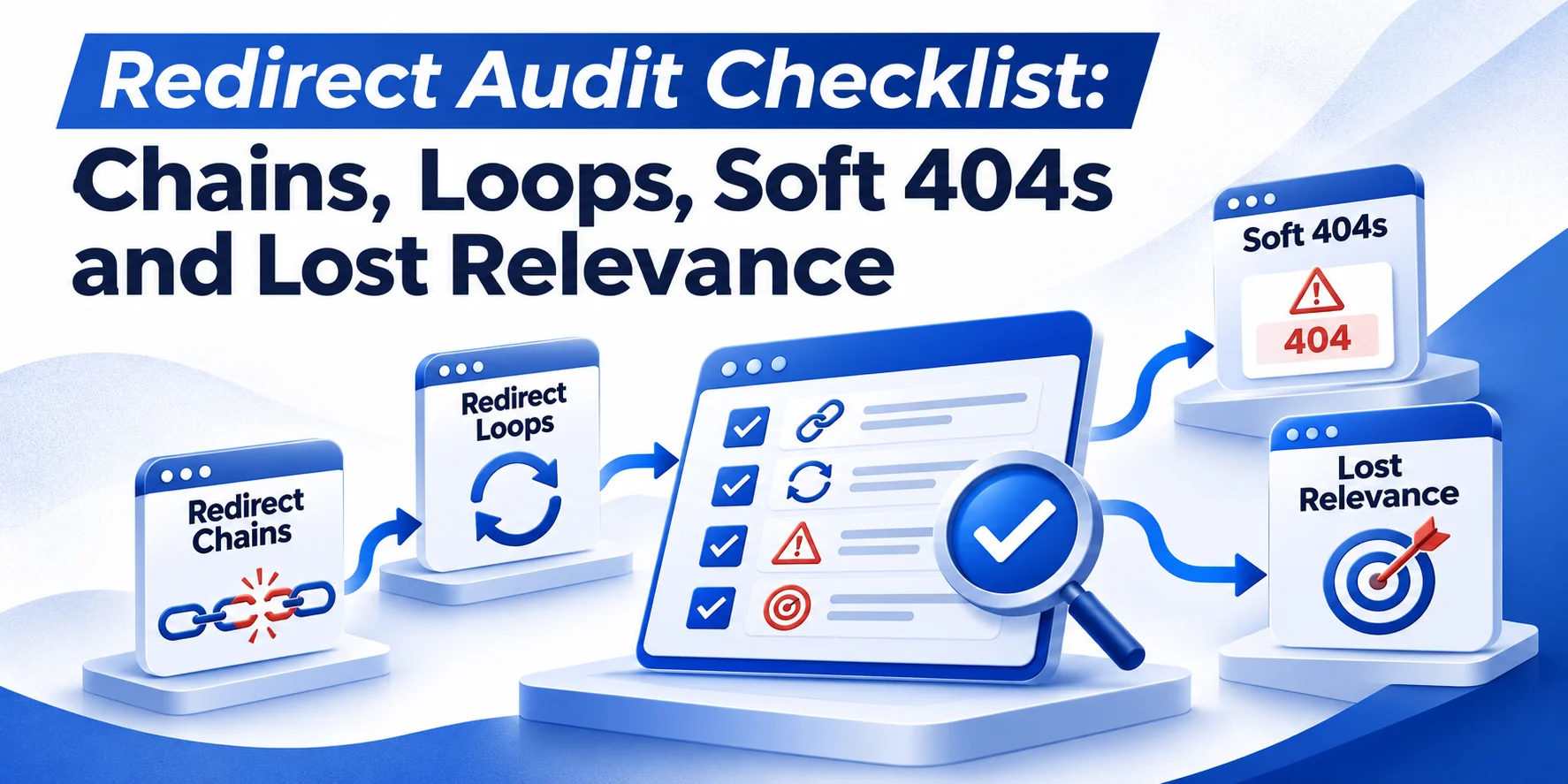
A Redirect Audit checks whether old URLs lead to working, relevant pages. It helps identify redirect chains, loops, soft 404s and destinations that no longer match what visitors expect.
Start with URLs that have:
- valuable backlinks;
- organic traffic;
- important customer journeys.
A broken redirect on these pages can affect search visibility and enquiries. This Redirect Audit checklist explains how to find redirect errors, prioritise them and confirm the fixes.
What Should a Redirect Audit Check?
A redirect can work technically but still lead to the wrong page. Your audit should check both the HTTP response and final destination.
| Issue | What to check | Action |
| Redirect chain | Several redirects before final page | Shorten the path |
| Redirect loop | URLs redirect back to each other | Fix conflicting rules |
| Soft 404 | Google treats URL as missing or unusable | Inspect content and response |
| Lost relevance | Destination does not match original intent | Find a better replacement |
| Temporary redirect | 302 or 307 remains in place | Confirm whether move is temporary |
| Broken destination | Final page returns 404 or 5xx | Correct the target |
A single permanent redirect to a suitable live page normally needs no further action.
How to Run a Redirect Audit With Screaming Frog
A normal website crawl can find redirected internal links. However, it may miss old URLs no longer linked from the current website. A complete Redirect Audit should include historical URLs.
Step 1: Collect Old and Current URLs
Gather URLs from:
- previous website crawls;
- redirect maps;
- old XML sitemaps;
- Google Search Console;
- GA4;
- backlink tools.
Include URLs changed during:
- migrations;
- redesigns;
- service-page updates.
An old page may still receive backlinks or referral visits even when your website no longer links to it.
Step 2: Crawl the Redirect Paths
Open Screaming Frog SEO Spider and select:
Mode > List
Upload your old URLs.
Then enable:
Configuration > Spider > Advanced > Always Follow Redirects
Run the crawl and export:
Reports > All Redirects
Review:
- original URL;
- redirect status;
- number of hops;
- final destination;
- final HTTP response.
Crawl the current website separately to find internal links still pointing to redirected URLs.
Step 3: Build a Redirect Audit Map
Record what happens to each old URL and whether the destination still matches its purpose.
| Old URL | Redirect path | Finding | Recommended action |
| /old-roof-repairs/ | 301 → 200 | Relevant destination | Keep |
| /roofing-help/ | 301 → 301 → 200 | Extra hop | Shorten chain |
| /emergency-plumber/ | 301 → homepage | Intent mismatch | Find matching service |
| /old-offer/ | 301 → 404 | Broken destination | Fix or retire |
| /service-a/ | 301 → 302 → 301 loop | Inaccessible page | Correct conflicting rules |
These examples are illustrative, not Wixdek client results.
For a working audit, also record:
- referring domains;
- organic clicks;
- referral visits;
- intent match;
- priority;
- final status code.
These details help identify which redirects deserve attention first.
How to Find and Fix Redirect Chains
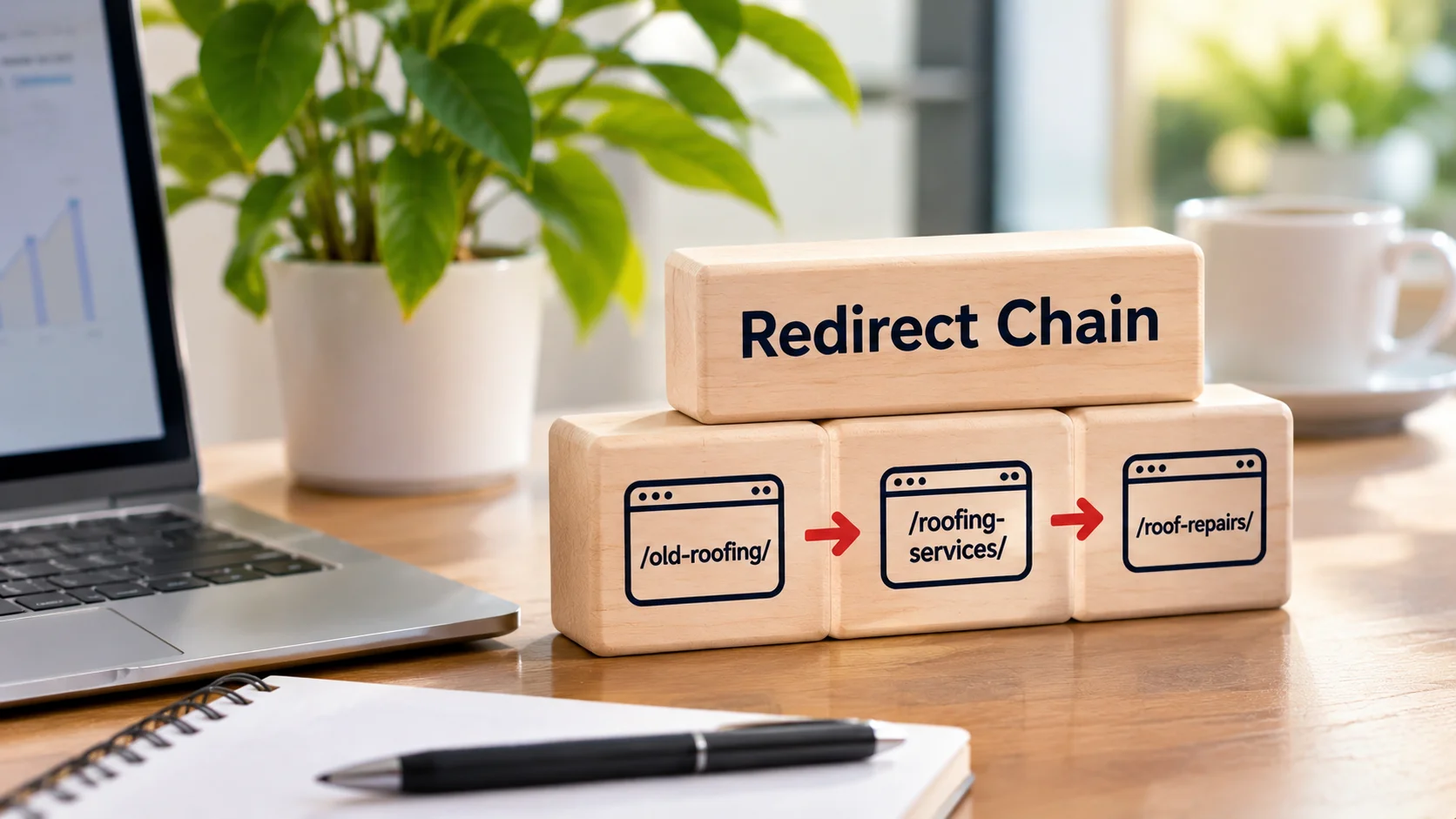
A redirect chain sends visitors through several URLs before reaching the final page.
For example:
/old-roofing/ → 301 → /roofing-services/ → 301 → /roof-repairs/ → 200
A cleaner route is:
/old-roofing/ → 301 → /roof-repairs/ → 200
Update the original redirect so it points directly to the final URL. Also update internal links still using redirected addresses. Keep old redirects working when they remain relevant because external websites may still link to them. A short redirect chain does not automatically cause ranking losses. However, direct redirects are easier to maintain and avoid unnecessary requests.
How to Identify and Fix Redirect Loops
A redirect loop occurs when a URL eventually sends visitors back to an earlier address.
For example:
/service-a/ → /service-b/ → /service-a/
The page never loads.
Visitors may see:
ERR_TOO_MANY_REDIRECTS
Check redirect rules in:
- hosting settings;
- WordPress redirect plugins;
- CDN configuration.
Conflicting HTTPS, domain or trailing-slash rules can create loops. Choose the intended final URL and remove the conflicting rule. Test the original address again until it reaches the correct page. A loop should be fixed even when traffic is low because it blocks access completely.
How to Check Soft 404 Redirect Problems
A soft 404 occurs when Google treats a URL as missing or unusable even though the server response does not clearly report that.
For example, a website may retire:
/commercial-boiler-repairs/
and redirect it to a general homepage with no relevant replacement information. Google may treat that redirect as a soft 404.
Check:
Page indexing > Soft 404
in Google Search Console. Inspect the affected URL and the content Google can access. If the old service moved, redirect it to the closest relevant replacement. If the service no longer exists and no suitable replacement is available, use a proper 404 or 410. An unrelated redirect remains a relevance problem even when Search Console does not report a soft 404. That is why a Redirect Audit should review destinations independently of Google’s error labels.
How to Check Redirect Relevance and Search Intent
A redirect should send visitors to a page matching the purpose of the original URL. Imagine someone clicking an old link for emergency boiler repairs in London. They expect boiler-repair information, not a general heating blog.
Before approving a destination, review:
- original page title;
- previous content;
- search queries;
- incoming backlinks.
Compare those details with the replacement page.
| Original page | New destination | Decision |
| Emergency boiler repairs | Updated emergency repair service | Good match |
| Roof leak advice | Updated roof leak guide | Good match |
| Commercial boiler repairs | General homepage | Poor match |
| Boiler installation | Boiler servicing | Review intent difference |
| Expired event without replacement | Unrelated service page | Do not redirect |
Location also matters for local service websites. A Chelsea service page should not automatically redirect to a Westminster page. Check whether the destination genuinely serves the same location and need.
Which Redirect Problems Should You Fix First?
Prioritise problems by impact, not backlink counts alone. A redirect loop makes a page inaccessible. A high-traffic service page leading to irrelevant content can also need urgent attention.
Check Backlinks, Traffic and Relevance
Backlinks: Identify old URLs with relevant referring domains. Traffic: Review organic clicks and referral visits. Relevance: Compare the original purpose with the final destination. Also consider business importance. A redirect affecting a main enquiry page may deserve attention even without high traffic.
Redirect Audit Priority Guide
| Priority | Finding | Why it matters |
| Critical | Loop or broken target on important page | Visitors cannot reach destination |
| High | Valuable old URL redirects to unrelated content | Search intent and journey are lost |
| High | Old URL with backlinks leads to 404 or 5xx | Destination does not work |
| Medium | Important URL has unnecessary redirect hops | Adds delay and complexity |
| Low | Direct 301 to relevant live page | Usually working correctly |
Use this as a starting point rather than a fixed scoring formula.
Should You Change 302 Redirects to 301?
A 301 or 308 indicates a permanent move. A 302 or 307 indicates a temporary move. Choose the redirect based on how long the change should last. If a service page has moved permanently, a 301 is generally suitable. If the original URL will be used again, a temporary redirect may make sense. Do not assume every 302 needs changing. Check its purpose first. For WordPress websites, also confirm which system controls the redirect. Multiple plugins or server-level rules can create conflicts.
How to Verify Redirect Audit Fixes
After making changes, crawl the affected URLs again using the same settings. Confirm that each old URL reaches the intended destination without unnecessary hops. The final page should normally return 200 when it is a live content page.
If the destination should appear in Google, also check:
- canonical settings;
- indexing rules;
- internal links;
- XML sitemap entries.
Update internal links and sitemap URLs to use final addresses rather than redirected versions.
Check Search Console and GA4
Use Google Search Console to inspect important destination URLs and indexing issues. In GA4, check whether visitors still reach important service pages and complete tracked enquiry actions. Compare suitable periods before and after changes. For example, if an old boiler-repair URL previously redirected to the homepage, check whether the corrected redirect now reaches the intended service page.
You can then review relevant:
- landing-page sessions;
- form submissions.
Do not attribute every traffic or enquiry change to redirects alone. Other website and search changes can affect results.
What About Orphan URLs and JavaScript Redirects?
Old URLs may have no internal links but still receive external traffic. Keep them in your Redirect Audit when they have useful backlinks or visits. Our planned Find and Fix Orphan Pages guide covers pages missing from internal linking. If crawl restrictions or indexing rules complicate your checks, see the planned Robots.txt vs Noindex guide. For JavaScript redirects, the planned JavaScript SEO for WordPress guide covers related rendering issues.
Redirect Audit Checklist
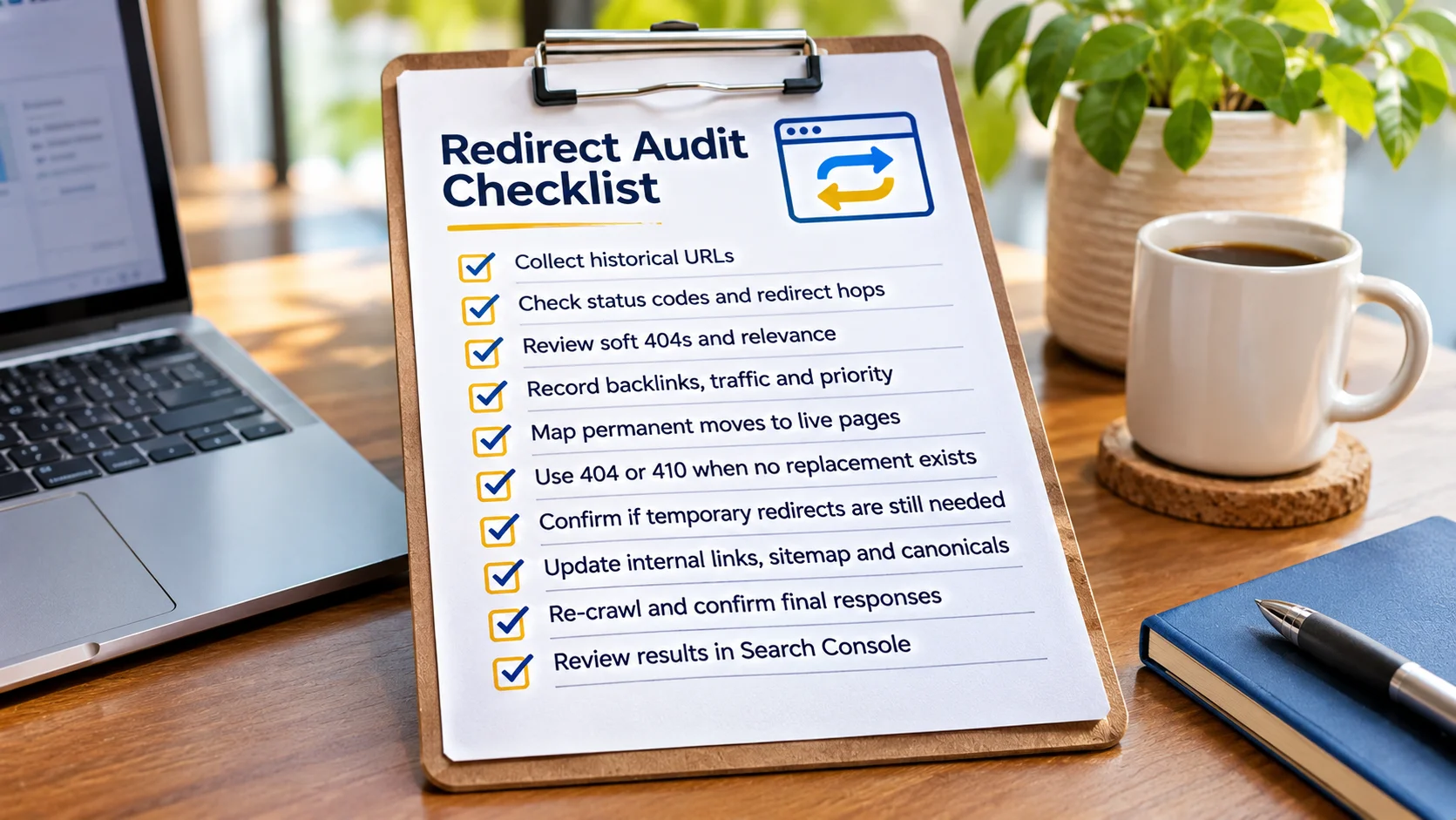
Use this Redirect Audit Checklist when reviewing your final redirect map.
- Collect historical URLs from crawls, backlinks, sitemaps and analytics.
- Check status codes, redirect hops, loops and broken destinations.
- Review soft 404 reports and destination relevance.
- Record backlinks, traffic, intent match and business priority.
- Map permanent moves to the closest suitable live pages.
- Return 404 or 410 when no relevant replacement exists.
- Check whether temporary redirects still serve a temporary purpose.
- Update internal links, sitemap URLs and canonical signals.
- Re-crawl affected URLs and confirm final responses.
- Review Search Console and tracked customer journeys.
Frequently Asked Questions
What Is a Redirect Audit?
A Redirect Audit checks whether old URLs redirect correctly, reach relevant pages and avoid chains, loops, soft 404s or broken destinations.
How Do I Find Redirect Chains?
Upload old URLs to Screaming Frog, enable redirect following and review the All Redirects report. It shows the redirect path and final response.
Can a 301 Redirect Cause a Soft 404?
Google may classify an irrelevant redirect as a soft 404. However, an unrelated redirect is not automatically reported that way.
Should Every 404 URL Be Redirected?
No. Use a relevant replacement when one exists. Otherwise, a genuine 404 or 410 is appropriate.
How Often Should I Run a Redirect Audit?
Run a Redirect Audit after migrations, URL changes and major redesigns. A six-month review is also a useful starting point for many websites.
Need Help With a Redirect Audit?
Broken or irrelevant redirects can send visitors away from the information they need. Wixdek helps UK businesses run a Redirect Audit covering chains, loops, soft 404s and incorrect page mapping. Explore our Technical SEO services for help finding and correcting redirect problems. For wider organic visibility, see our SEO services in London.
By Wixdek