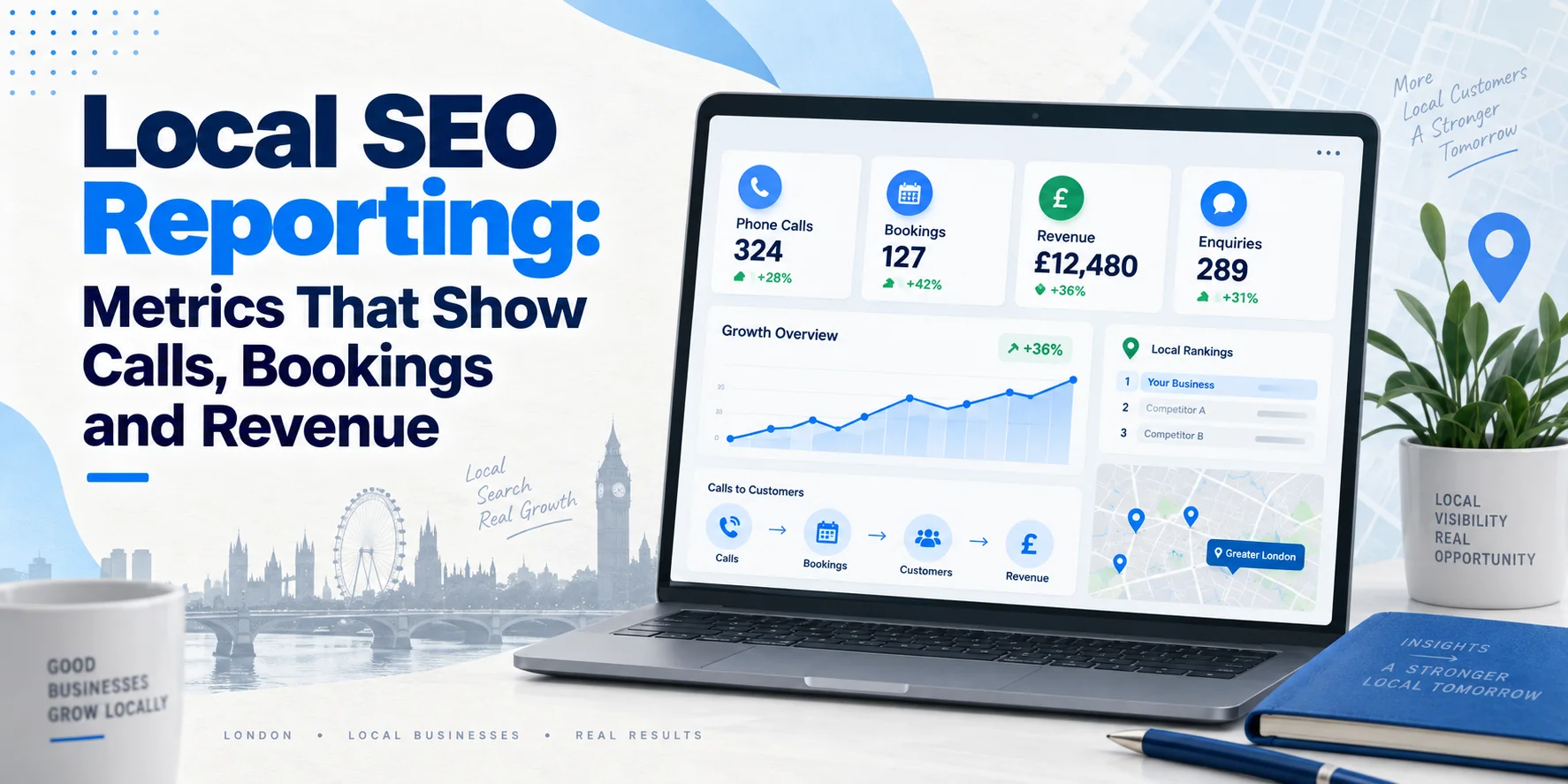
Local SEO reporting shouldn’t be treated as a monthly list of rankings and traffic alone. Business owners want to know something much simpler: is local SEO bringing in customers? You might rank well in Google Maps, receive more website clicks and show up for more local searches. But if those improvements don’t lead to calls, bookings, enquiries or sales, the report isn’t telling the whole story.
Good local SEO reporting connects search visibility with leads, customers and real business results. This guide explains which local SEO metrics matter, how to track them, and how to build a report that shows what your investment is actually doing.
What Is Local SEO Reporting?
Local SEO reporting is the process of measuring how your local search activity performs and what business results it produces.
It brings together data from sources such as Google Business Profile, Google Search Console, Google Analytics 4, call tracking and your CRM.
The aim isn’t to collect every number available.
It’s to connect the important numbers.
For example:
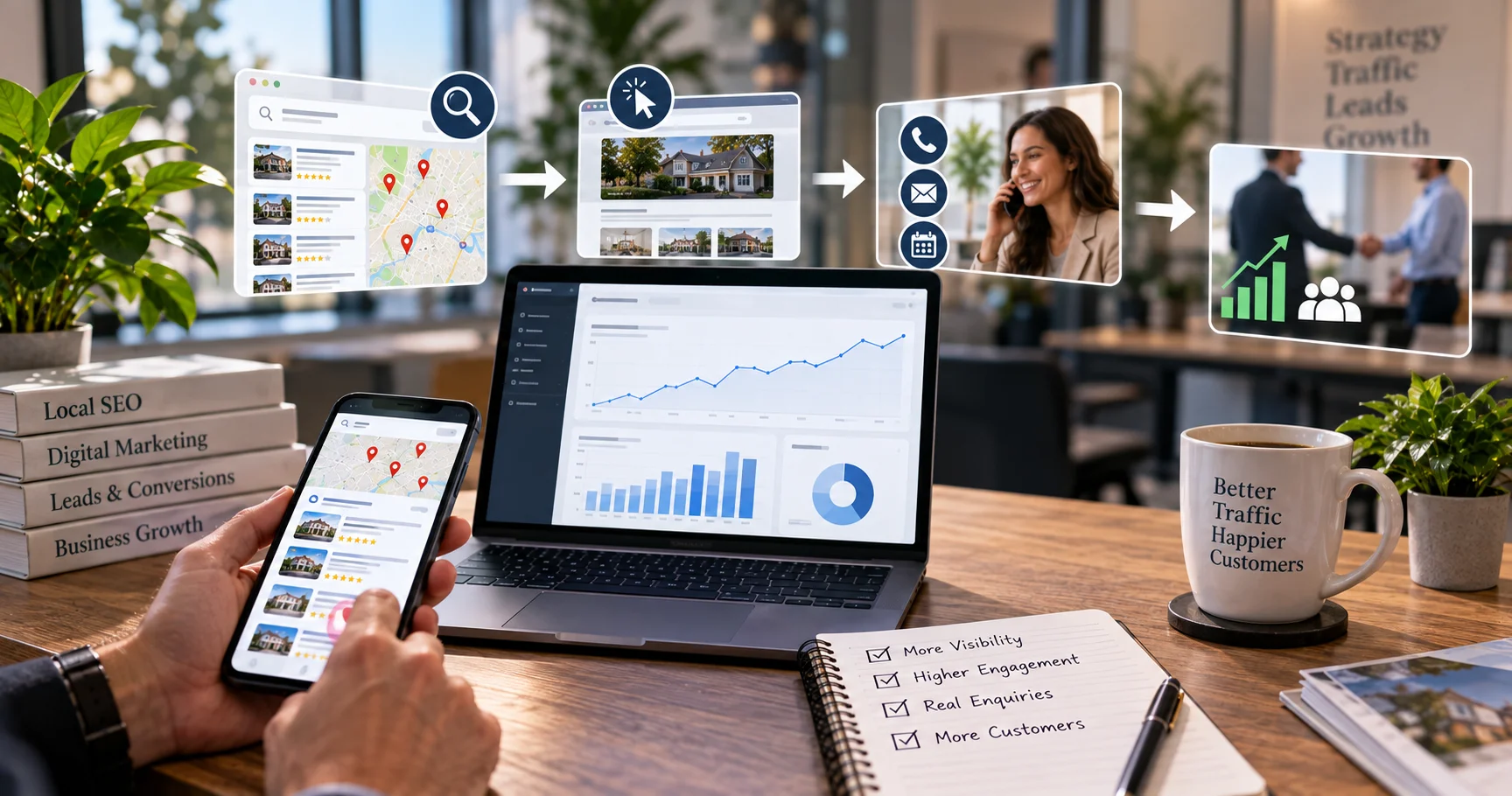
Local search → website visit → enquiry → booked customer → revenue
That journey gives you a much clearer view of Local SEO performance.
Why Rankings Alone Don’t Tell the Full Story
Rankings are useful, but they aren’t the final goal.
A business might move from position eight to position three for a local search. That’s encouraging, but it doesn’t tell you whether customers called, completed a form or booked an appointment.
The same applies to traffic.
More visitors can be useful, but 500 visitors who never enquire may be less valuable than 50 visitors who become customers.
That’s why a useful reporting system should measure three layers:
Visibility: Are people finding the business?
Engagement: Are they taking action?
Business results: Are those actions becoming leads, customers and revenue?
This shift from rank-only reporting to lead-quality reporting makes local SEO much easier to evaluate.
The Local SEO Reporting Metrics That Matter
Google Business Profile Performance
Your Google Business Profile can provide useful information about how people discover and interact with your business on Google Search and Maps.
Google’s Business Profile performance metrics include information about searches, views, directions, calls, website clicks and bookings where applicable.
These numbers are useful because they show what people do before they reach your website.
For example, a London dental clinic may see more profile views but fewer website clicks. That could suggest customers are comparing the listing but not taking the next step.
A growing number of calls or booking actions would tell a different story.
GBP Calls
Google records a call interaction when someone clicks the call button on your Business Profile. This is useful, but don’t confuse a call-button click with a confirmed sales conversation.
For stronger reporting, combine Business Profile call data with your own call tracking where appropriate.
A call tracking system can help you understand which calls came from your website or other tracked marketing sources.
You can then look beyond call volume and review whether those calls became genuine leads.
Website Clicks
Website clicks show how many people selected the website link from your Business Profile.
This is a useful middle-stage metric.
However, it shouldn’t be treated as a conversion by itself.
For example, if website clicks rise by 40% but form submissions stay flat, you have more interest but not necessarily more business.
That tells you where to investigate next.
Direction Requests
Direction requests can be especially useful for businesses with physical premises.
Google defines this metric as the number of people who asked for directions to the business.
A restaurant, dental practice or retail shop may find this more useful than website traffic alone.
For a service-area business, however, direction requests may be far less important because customers don’t visit a public premises.
The right metrics depend on the business model.
Measuring Website Conversions
Clear conversion tracking is an essential part of accurate local SEO reporting.
For a local service business, useful actions may include:
- Contact form submissions
- Phone number clicks
- Booking requests
- Appointment completions
- Quote requests
- WhatsApp or other enquiry actions
- Completed purchases where relevant
Google Analytics events can be used to measure important actions on your website, and suitable events can then be marked as key events for reporting.
The important part is choosing events that matter to the business.
Don’t mark every page view as a conversion just to make the report look impressive.
Tracking Calls Properly
Phone calls are often the main conversion for local businesses.
A plumber, locksmith or electrician may receive very few website forms because customers simply pick up the phone.
That’s why call tracking can be important.
A useful call report might show:
Calls generated → qualified calls → booked jobs → completed jobs → revenue
Call length can also be used as a supporting signal.
For example, you may decide that calls lasting over one minute deserve manual review because they are more likely to contain a real conversation. Treat this as an internal reporting rule, not a universal Google definition of a lead.
The strongest approach is to connect call records with your sales process where possible.
Tracking Bookings and Appointments
Some businesses rely more on bookings than phone calls.
This includes:
- Dentists
- Clinics
- Salons
- Restaurants
- Consultants
- Trades with online booking systems
Track the action that matters.
For example:
Google search → local landing page → booking page → completed appointment
Google Business Profile can also report bookings where the booking is managed through an eligible booking provider.
Don’t stop at appointment-page visits.
A booking started isn’t the same as a booking completed.
Track Form Submissions
Forms are another important local SEO conversion.
A useful report should separate simple form activity from meaningful enquiries where possible.
For example, a form requesting:
“Please send me a quote for a full roof replacement in Croydon.”
is more commercially useful than a vague:
“I want more information.”
Your CRM can help sales teams qualify these enquiries and record what happened next.
That gives SEO reporting a connection to the actual sales pipeline.
Measuring Revenue From Local SEO
Revenue is where reporting becomes much more useful for decision-making.
Suppose local SEO generated 40 enquiries during a month.
That number sounds good.
But imagine only 10 became customers, with an average order value of £750.
The reported revenue would be:
10 × £750 = £7,500
Now you have a business outcome to compare against the cost of the campaign.
This is far more useful than saying:
“Organic traffic increased by 18%.”
Traffic matters, but revenue gives the business context. Revenue tracking takes local SEO reporting beyond visibility metrics and connects search activity with commercial results.
Local SEO ROI
Local SEO ROI should compare the value generated with the investment made.
A simple starting calculation is:
ROI = (Revenue attributed to local SEO − Local SEO cost) ÷ Local SEO cost × 100
For example, if £8,000 in revenue is reasonably attributed to local SEO and the monthly investment is £2,000:
ROI = (£8,000 − £2,000) ÷ £2,000 × 100 = 300%
Attribution is not always perfect, especially when customers use several channels before buying.
Google Analytics provides different Google Analytics attribution models for assigning credit across customer journeys, so your reporting should state which attribution approach you’re using.
Don’t present an estimated figure as perfect proof. Be clear about what is directly tracked and what is estimated. The investment side also varies between businesses, locations and competitive markets. If you are planning your budget, our guide to local SEO costs in the UK explains the main factors that can affect pricing.
Cost Per Acquisition
Cost per acquisition, or CPA, helps you understand what it costs to gain a new customer.
The basic calculation is:
CPA = Local SEO cost ÷ New customers gained
For example:
£2,000 monthly SEO cost ÷ 20 new customers = £100 CPA
This becomes more useful when compared with customer value.
A £100 acquisition cost may be excellent for a business where a new customer is worth £1,000.
It may be less attractive for a business where the average first purchase is only £80.
Local Conversion Rate
Your local conversion rate shows how often visitors take a meaningful action.
A simple calculation is:
Conversions ÷ Relevant website visitors × 100
For example:
100 local visitors
10 enquiries
That’s a 10% conversion rate.
But be careful when interpreting the number.
A conversion rate can change because of traffic quality, landing page changes, seasonality, offers or tracking changes.
It shouldn’t be judged in isolation.
How Google Search Console Fits Into Local SEO Reporting
Google Search Console is an important data source for local SEO reporting because it shows how your website performs in Google Search.
You can review:
- Impressions
- Clicks
- CTR
- Search queries
- Average position
- Pages receiving search traffic
The Search Console Performance report provides data such as clicks, impressions, CTR and average position, with performance available by dimensions such as queries and pages.
This is particularly useful for local SEO because you can investigate which queries are actually bringing visibility.
For example, a London electrician may discover that its website receives impressions for:
emergency electrician Croydon
electrician Wimbledon
electrical fault finding London
Those queries can then be compared with the pages appearing in search.
Search Console also lets you filter performance by page and query, which helps identify pages that are gaining or losing visibility.
How GA4 Fits Into Local SEO Reporting
GA4 helps connect website visits with actions.
For a local business, useful events might include:
phone_click
form_submit
booking_complete
quote_request
purchase
The exact event names don’t matter as much as having a clear tracking plan.
Once important events are tracked, you can compare them with the traffic sources and landing pages that contributed to those actions.
For example, you may find that a local landing page receives less traffic than your homepage but generates twice as many qualified enquiries.
That’s a useful finding.
It tells you not to judge pages on traffic alone.
Connect Your CRM to the Reporting Process
This is the step many local SEO reports miss.
Analytics can tell you that someone submitted a form.
Your CRM can tell you what happened afterwards.
For example:
Search → website visit → enquiry → qualified lead → quotation → sale
Now you can identify which leads became actual customers.
If a CRM records £15,000 of closed sales from local organic leads, that gives management a much stronger basis for judging SEO performance.
Attribution still has limits, so avoid claiming that SEO caused every sale simply because the customer visited through organic search.
Use the data as evidence, not as a licence to overstate results.
Build a Local SEO Reporting Dashboard
A useful dashboard should be easy to understand.
The first section should answer:
How much business did local SEO generate?
Then show the supporting numbers.
| Metric | What it tells you |
| GBP calls | Call-button interactions from the Business Profile |
| Website clicks | Visits generated from the Business Profile |
| Direction requests | Interest from customers visiting a physical location |
| Organic clicks | Search traffic reaching the website |
| Form submissions | Website enquiries |
| Bookings | Completed appointments |
| Qualified leads | Enquiries accepted by sales |
| New customers | Leads that became customers |
| Revenue | Sales linked to tracked leads |
| CPA | Cost of gaining a customer |
| ROI | Return compared with SEO investment |
Keep the summary simple.
A business owner shouldn’t need a ten-page spreadsheet to find out whether enquiries increased.
A Simple Local SEO Reporting Funnel
Use this structure when building your dashboard:
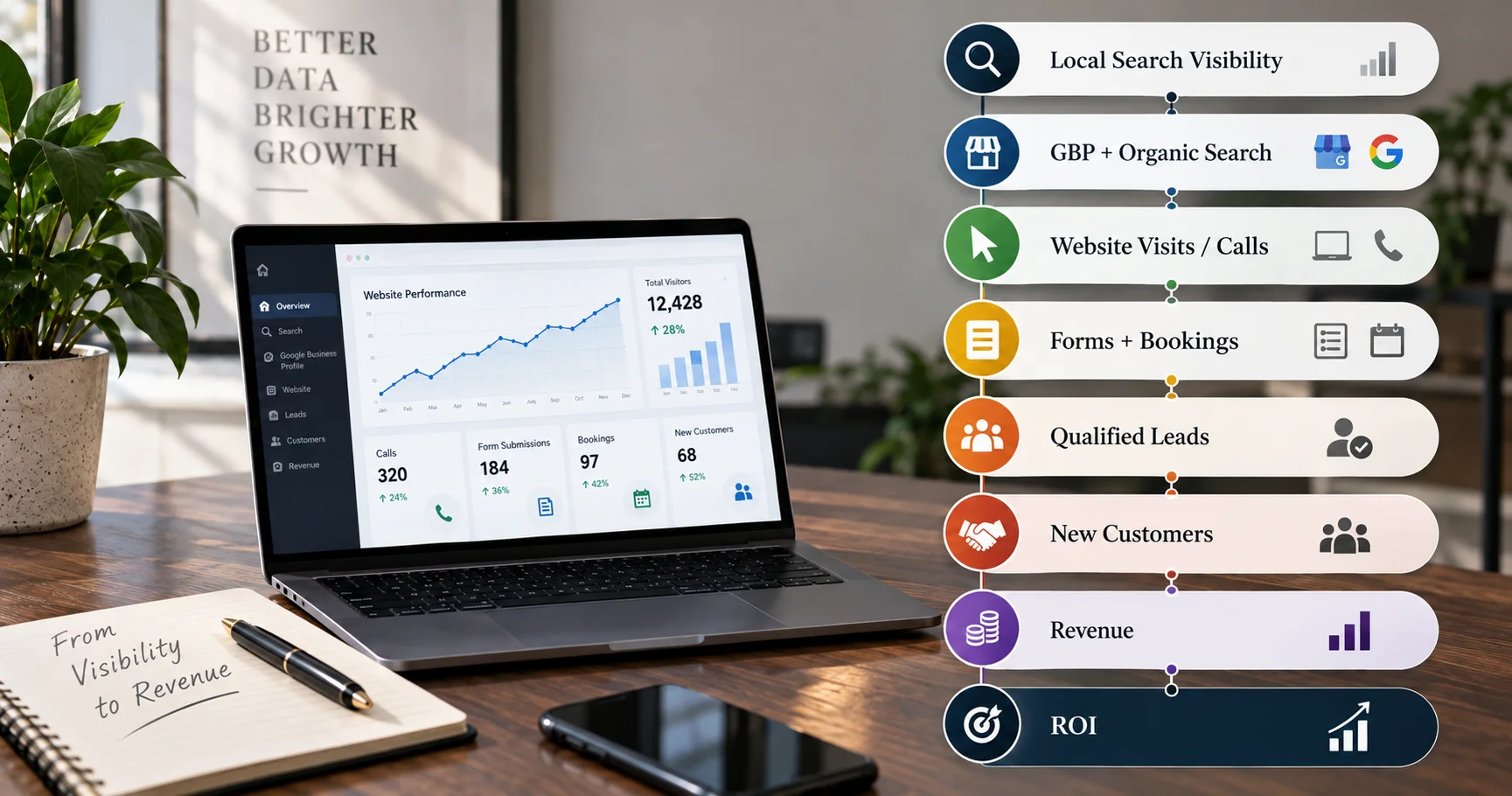
This separates visibility from actual business performance. It also makes gaps easier to spot.
If impressions rise but clicks don’t, investigate search visibility and page titles.
If clicks rise but enquiries don’t, investigate landing pages and conversion paths.
If enquiries rise but sales don’t, investigate lead quality and the sales process.
That’s much more useful than simply reporting that rankings improved.
What a Good Monthly Local SEO Reporting Should Include
A monthly report doesn’t need every available metric.
Start with the business outcomes.
Show the number of calls, bookings, qualified leads and revenue first.
Then explain what happened to visibility and engagement.
For example:
Local search visibility increased this month, with stronger organic clicks and Business Profile interactions. Website enquiries also increased, while booked jobs remained stable. The next focus is improving conversion rates on the highest-traffic local landing pages.
That gives the reader context rather than dumping numbers onto a page.
How to Report Multi-Location SEO
For businesses with several branches, don’t combine everything into one large number.
A Manchester branch may perform very differently from a Birmingham branch.
Report each important location separately where the data supports it.
This can include:
Location → visibility → calls → enquiries → bookings → customers → revenue
Your website structure should support this reporting model too.
For more on organising multiple branches, see Wixdek’s guide to multi-location SEO architecture for UK businesses.
Likewise, if you are creating London borough pages, avoid judging them only by rankings. Each page should have a clear purpose and measurable business outcome. See Wixdek’s guide to building London borough pages without creating doorway pages.
Common Local SEO Reporting Mistakes
- Reporting Rankings Without Leads: Rankings are useful diagnostic data, but they don’t prove commercial success.
- Counting Every Call as a Lead: A wrong number, sales call or spam call isn’t necessarily a new customer opportunity.
- Treating Website Clicks as Revenue: A click shows interest. It doesn’t prove a sale.
- Ignoring Offline Sales: A customer may find your business online and then call or visit later. If possible, connect online enquiries with your CRM or sales records.
- Changing Tracking Without Recording It: If you change your analytics setup, the numbers before and after the change may not be directly comparable. Record major tracking changes in your reporting notes.
- Reporting Too Many Numbers: A report with 50 metrics can hide the five numbers that actually matter. Keep the main dashboard focused.
How Often Should You Review Local SEO Performance?
Review the data monthly for normal performance management.
For significant SEO changes, allow enough time for Google to crawl and reassess the affected pages before drawing strong conclusions.
Don’t panic over a few days of movement.
For larger updates or major search changes, compare longer periods and look for meaningful trends.
Google Search Console supports date comparisons, query filters and page-level analysis, which makes this type of review easier.
A broader architecture review can be completed around 90 days after major changes, then every six to 12 months as the website and business develop.
How Wixdek Approaches Local SEO Reporting
At Wixdek, we believe local SEO reporting should answer business questions, not just SEO questions.
The first question is not:
“What position did we rank at?”
It’s:
“What happened to visibility, enquiries and customers?”
We then use GBP, Search Console, analytics, call tracking and CRM data where available to understand the journey from local search to business outcome.
This also helps identify where performance is being lost.
Maybe visibility is strong but the website doesn’t convert.
Maybe the website receives enquiries but sales quality is poor.
Maybe one location is performing well while another needs more work.
The report should make those differences clear.
Local SEO Reporting Checklist
Before sending a monthly report, check that you can answer:
- How many local searches generated visibility?
- How many website clicks came from local search?
- How many GBP calls were recorded?
- How many relevant enquiries were received?
- How many bookings were completed?
- How many leads became customers?
- How much revenue was attributed?
- What was the approximate CPA?
- What was the reported ROI?
- Which locations performed best?
- Which pages generated the strongest leads?
- What should be improved next?
If you can answer those questions clearly, your report is doing its job.
Final Thoughts
The best local SEO reporting connects visibility, customer actions and business results in one clear story.
It’s about showing the journey from search visibility to business value.
Rankings, impressions and clicks still matter because they help explain performance. But calls, bookings, qualified leads, customers and revenue tell you whether that visibility is actually useful.
Build your reporting around that journey, keep your tracking consistent and be honest about attribution.
That gives you a much clearer picture of where local SEO is working and where the next improvement should come from.
Use a repeatable local visibility benchmark to define a query set, geographic sample and repeatable collection method.
Frequently Asked Questions
What is local SEO reporting?
Local SEO reporting measures how a business performs in local search and connects that visibility with actions such as calls, enquiries, bookings and sales.
What are the most important local SEO metrics?
The most useful metrics depend on the business, but common measures include GBP calls, website clicks, organic clicks, form submissions, bookings, qualified leads, new customers and revenue.
Are local SEO rankings still important?
Yes, rankings are useful for understanding visibility and diagnosing changes. However, rankings should be considered alongside engagement and business outcomes rather than used as the only success measure.
How do I track calls from local SEO?
You can review Business Profile call interactions and use suitable call tracking for website-generated calls. Keep in mind that a Google Business Profile call metric represents a click on the call button, not necessarily a completed sales call.
Can GA4 track local SEO conversions?
Yes. GA4 can track important website actions as events and key events, allowing businesses to measure actions such as form submissions, bookings and purchases.
Can local SEO revenue be measured?
Yes, when tracking is set up properly. Connecting website analytics, lead records and CRM data can help link local search activity with customers and revenue.
What is a good local SEO report?
A good report starts with business outcomes, then explains the visibility and engagement data behind them. It should be clear enough for a business owner to understand without needing an SEO background.
How often should local SEO be reported?
Monthly reporting is useful for ongoing management. Major SEO changes should be reviewed over a suitable period rather than judged from a few days of movement.
Ready to Measure What Your Local SEO Is Really Delivering?
If you’re getting rankings and traffic but aren’t sure what those numbers mean for your business, Wixdek can review your local SEO tracking and reporting setup.
We can help connect your local visibility with the metrics that matter, including calls, enquiries, bookings and commercial outcomes.
Request a Local SEO Review