Google Ads can look active without delivering good business results.
You may see clicks, impressions and reported conversions while money is still being wasted. Poor location targeting can attract people outside your service area. Broken tracking can make weak campaigns appear successful. Irrelevant search terms can quietly consume hundreds or thousands of pounds.
A useful Google Ads Audit should therefore answer three questions:
Where are we wasting money?
Can we trust the tracking?
Where is the biggest growth opportunity?
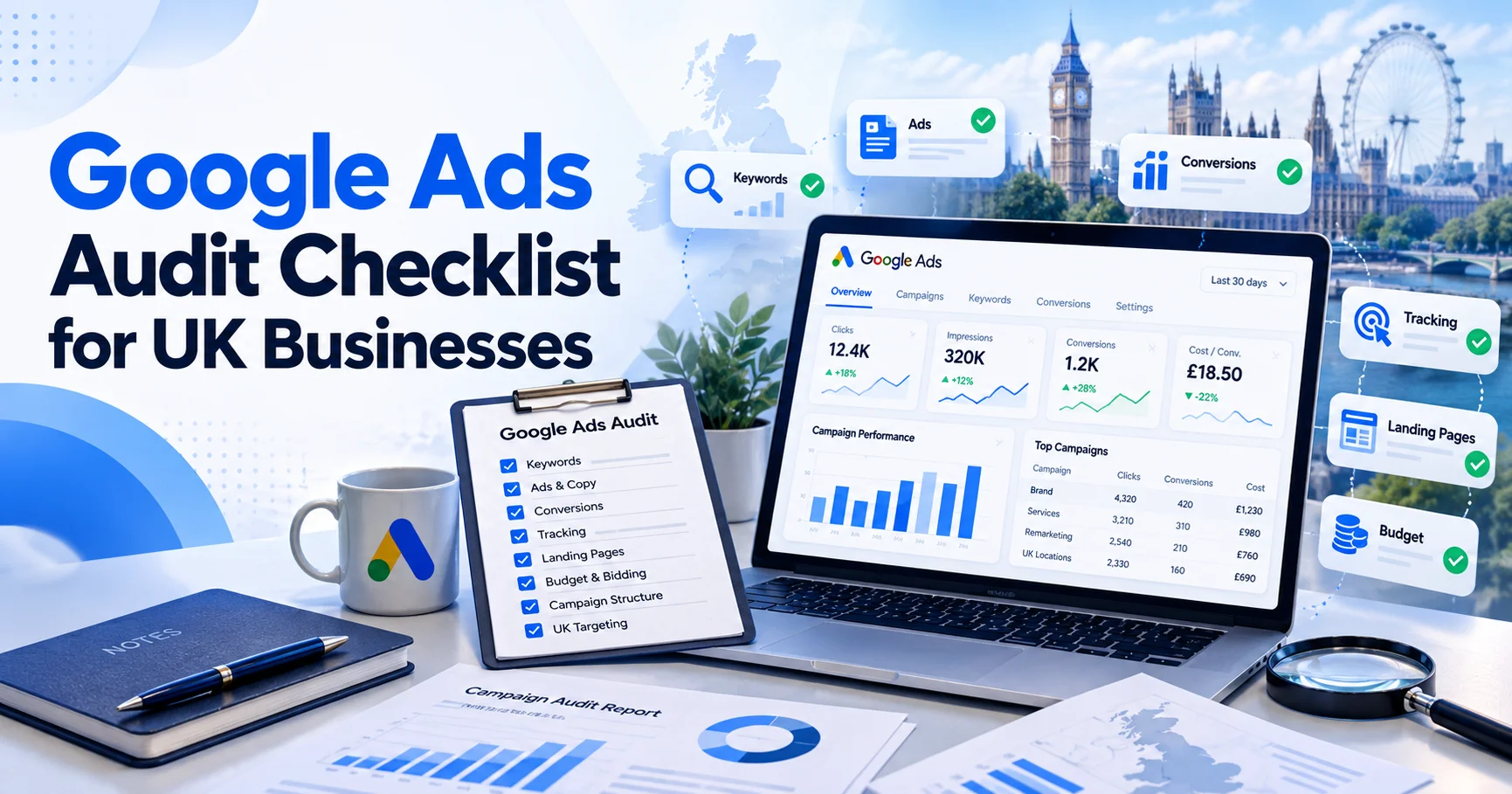
This Google Ads Audit checklist helps UK businesses review tracking, search terms, targeting, budgets, bidding, ads, landing pages and commercial results without getting lost in unnecessary technical detail.
Google Ads Audit Priority System
Not every account issue deserves equal attention.
A broken conversion setup is more serious than a weak headline. £1,000 spent on irrelevant searches deserves attention before testing another advert.
Use three priority levels during your Google Ads Audit:
| Priority | Meaning | Action |
| P1: Critical | Serious waste or unreliable data | Fix first |
| P2: Important | Problem limiting efficiency | Fix after P1 issues |
| P3: Growth | Opportunity in a healthy account | Test after core fixes |
You can also place findings into three categories:
- Wasted Spend: Money going towards poor traffic or weak campaigns.
- Tracking Risk: Data that may be incomplete or incorrect.
- Growth Opportunity: Areas where better targeting or structure may improve performance.
This keeps the audit focused on business impact.
Start Your Google Ads Audit With Conversion Tracking
Conversion tracking should be checked before major campaign decisions.
Imagine Google Ads reports 40 conversions. You then discover 25 are page views, button clicks or other low-value actions.
Your real lead count may only be 15.
That changes your CPL, campaign performance and budget decisions.
Check Primary and Secondary Conversions
Review every conversion action and ask what it represents.
A completed enquiry, purchase or valuable phone call may be a meaningful conversion. A page visit or video view can still provide useful information but may not deserve the same weight.
Google explains the difference between primary and secondary conversion actions.
If low-value actions are controlling automated bidding, treat this as a P1 Tracking Risk.
Test Forms and Calls
Do not assume tracking works because a conversion action exists.
Complete an enquiry form yourself. Make a test call when phone enquiries matter. Check whether each action appears correctly in Google Ads.
Also look for duplicate conversions.
One enquiry should not become two or three conversions because several tags recorded the same action.
For service businesses, phone tracking deserves particular attention. Locksmiths, plumbers, roofers, clinics and chauffeur companies may receive a large percentage of enquiries by phone.
If those calls are missing, strong campaigns can appear weaker than they actually are.
Review Enhanced Conversions and Consent
Enhanced conversions may improve measurement when suitable first-party customer data is available. Review Google’s enhanced conversions guidance before changing the setup.
UK businesses should also review advertising tags alongside cookie consent and privacy settings.
The ICO provides guidance covering online advertising and consent.
If consent problems interfere with measurement, treat them as a tracking priority rather than ignoring them.
Audit Search Terms for Wasted Spend
The search terms report is one of the most useful parts of a Google Ads Audit.
Keywords show what you target.
Search terms show what people actually searched.
Those two things can be very different.
Use Google’s search terms report to identify queries that trigger your advertisements.
For a service business, common poor-intent searches may include:
- jobs;
- salaries;
- courses;
- DIY advice;
- free services;
- definitions;
- products instead of services;
- locations you do not cover.
Do not block words simply because they look wrong alone. Read the full search query and understand its intent.
If poor searches consume meaningful spend, classify the issue as P1 Wasted Spend.
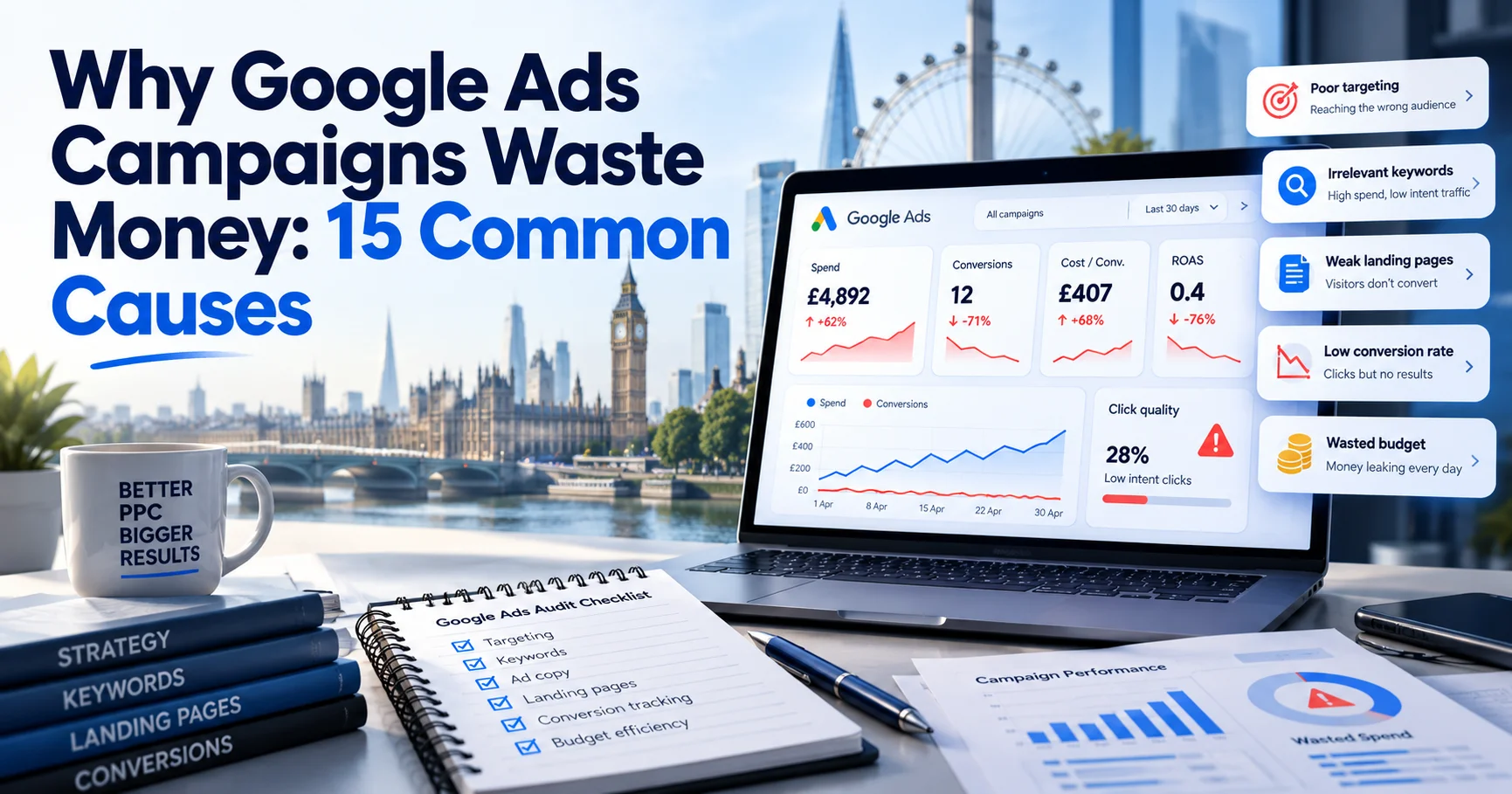
Our guide on why Google Ads campaigns waste money covers other common causes.

Review Negative Keywords
Negative keywords can protect your budget from irrelevant searches.
However, more negatives are not always better.
An aggressive list can accidentally block valuable searches.
During your Google Ads Audit, review negative keywords at account, campaign and ad-group level where relevant.
Look for two problems:
- irrelevant searches that should be excluded;
- valuable commercial searches being blocked accidentally.
The goal is better intent, not the longest possible negative-keyword list.
Check Keyword Match Types
Review how broad, phrase and exact match are being used.
Broad match is not automatically bad. Exact match is not automatically good.
What matters is the traffic and business results each keyword produces.
If a broad-match keyword generates profitable leads, changing it because of its match type alone makes little sense.
If it spends hundreds of pounds on irrelevant searches, investigate it.
Always review match type alongside search terms, bidding and conversion data.
Audit Location Targeting
Location settings can waste significant budget, especially for local businesses.
Imagine a locksmith serving Greater London. The business may technically travel further, but that does not mean paying for enquiries hundreds of miles away makes commercial sense.
Review:
- included locations;
- excluded locations;
- radius targeting;
- spend by area;
- leads by area;
- customer quality by area.
Google explains how geographic targeting works in its location targeting guidance.
Do not stop at the targeting settings.
Compare locations with real leads and customers.
For example:
- London spends £2,000 and produces strong enquiries.
- Surrey spends £700 and produces several good leads.
- Hertfordshire spends £900 and creates almost no useful business.
Your next budget decision should reflect those results.
A Google Ads Audit should connect geography with commercial performance, not only campaign settings.
Review Campaign Structure
Campaign structure should reflect the way your business operates.
A common problem is placing unrelated services into one campaign.
For example, a construction company may offer:
- extensions;
- roofing;
- loft conversions;
- commercial work.
Those services can have different customers, CPCs, profit margins and landing pages.
A good Google Ads Audit asks whether campaigns are separated logically by service, location, product group or commercial value.
You do not need hundreds of tiny campaigns.
You need enough structure to control budget and intent properly.
Check Whether Budget Follows Performance
One campaign may generate strong customers but regularly run out of budget.
Another may spend freely while generating poor enquiries.
That is a budget-allocation problem.
Compare campaign spend with:
- qualified leads;
- customer acquisition cost;
- sales;
- customer value;
- CPL;
- available search demand.
Do not move money simply because one campaign has cheaper clicks.
Cheap clicks and valuable customers are different things.
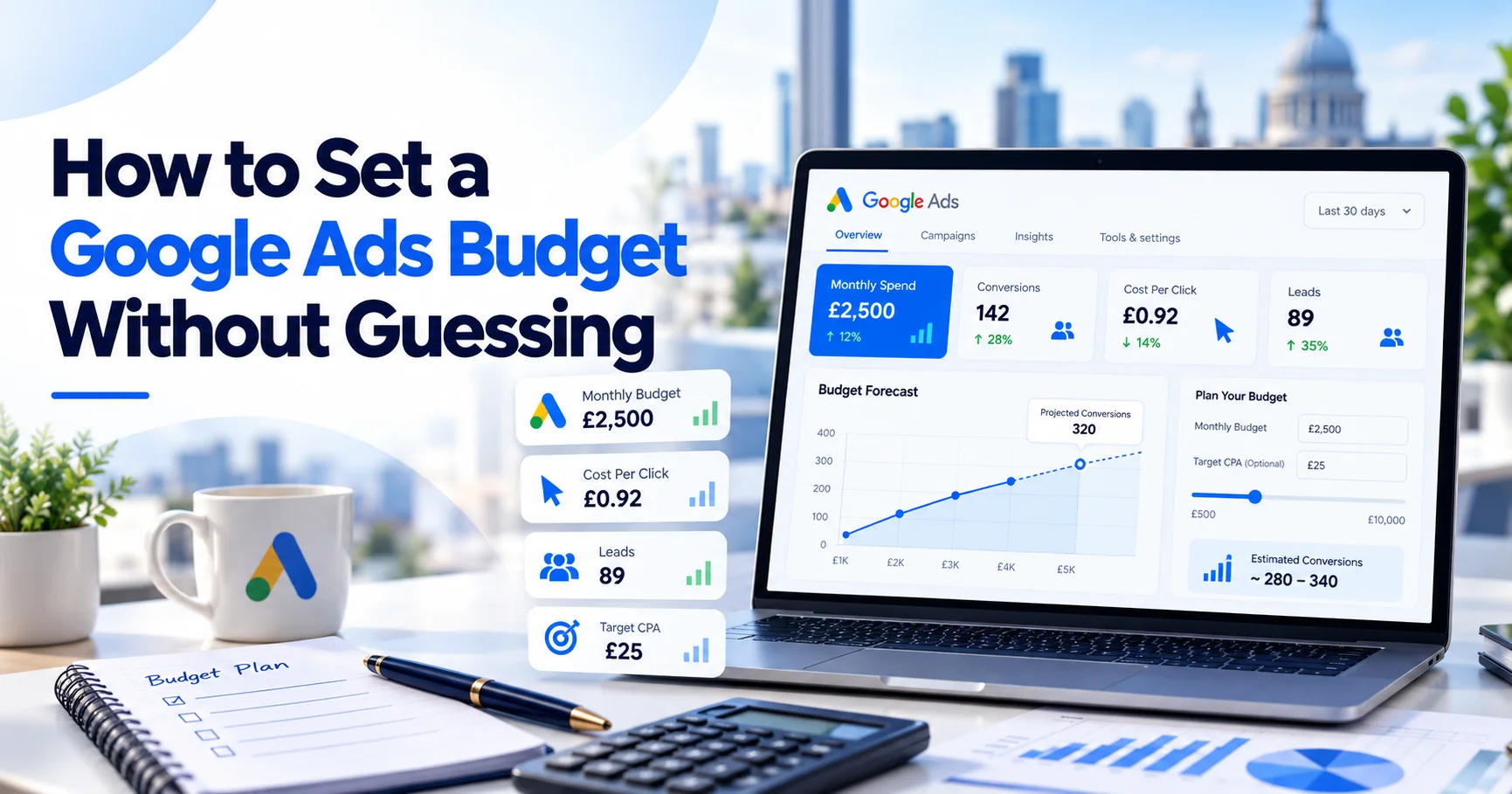
Our guide on how to set a Google Ads budget without guessing explains how CPC, conversion rates and break-even CPL affect budget planning.
Check Whether Daily Budgets Are Large Enough
A campaign can also have too little budget to collect useful data.
Suppose average CPC is £12, but the campaign budget is only £10 per day.
It may struggle to generate enough traffic for meaningful analysis.
That does not automatically mean you should increase spending.
Compare daily budget with:
- CPC;
- search demand;
- conversion rate;
- target CPL;
- customer value.
The numbers need to work together.
Audit Bidding Strategies
Review what each bidding strategy is trying to achieve.
More importantly, check which data it is using.
If a campaign relies on conversion-focused automated bidding while conversion tracking is wrong, Google may optimise towards the wrong outcomes.
During your Google Ads Audit, review:
- current bidding strategy;
- selected conversion goals;
- target CPA or ROAS where relevant;
- recent conversion history;
- major bidding changes.
Avoid changing strategies every few days.
Frequent changes make performance harder to understand.
If automated bidding relies on unreliable conversion data, treat it as a P1 issue.
Review Google Ads Quality Score
Quality Score can help identify keyword-level problems, but it should not become the main goal.
Google describes Quality Score as a diagnostic measure involving expected CTR, ad relevance and landing-page experience.
A weak component can highlight possible problems.
However, a 10/10 Quality Score does not guarantee profitable customers.
Your main targets should remain qualified leads, sales and profit.
Our Google Ads Quality Score guide explains the metric in more detail.
Audit Responsive Search Ads
Open the active ads for important campaigns.
Ask whether the advert clearly matches what the person searched for.
Someone searching for:
Emergency Boiler Repair
should not see an advert saying only:
Trusted Services for Your Home
The wording is too vague.
During your Google Ads Audit, review:
- headlines;
- descriptions;
- service wording;
- locations;
- offers;
- calls to action;
- relevant assets.
Clear and specific wording usually gives users a stronger reason to continue.
Check Ads Against Landing Pages
The promise made in an advert should continue after the click.
Imagine an advert says:
24-Hour Emergency Locksmith London
but sends visitors to a generic homepage covering ten unrelated services.
That creates unnecessary friction.
The landing page should quickly confirm:
- the service;
- location;
- availability;
- trust information;
- contact method;
- next step.
Do not assume the homepage is always the best destination.
If large amounts of paid traffic land on irrelevant pages, treat this as wasted spend.
Review Landing-Page Performance
Good campaign targeting cannot rescue a poor landing page.
Open each important page like a customer would.
Ask:
- Does it load properly?
- Does it work well on mobile?
- Is the service immediately clear?
- Does the page match the advert?
- Are calls and forms easy to complete?
- Is there enough trust information?
If 1,000 relevant visitors arrive and almost nobody contacts the business, buying another 1,000 clicks may not solve the problem.
Landing-page problems should therefore form part of every Google Ads Audit.
Review Device, Time and Network Performance
Look beyond overall account averages.
Device Performance
Desktop and mobile users may behave differently.
One device may have higher CPCs but generate better customers. Another may create cheap traffic with little commercial value.
Compare conversions, lead quality and sales rather than CPC alone.
Day and Time Performance
Some businesses show clear patterns by hour or day.
Emergency services may perform differently at night. B2B enquiries may be stronger during working hours.
Use enough data before making major changes.
Networks
Review where campaigns are serving.
If a network consumes meaningful spend without producing valuable business, investigate further.
Do not enable or disable something only because generic advice says you should.
Audit Performance Max Separately
Performance Max deserves its own review.
Check:
- conversion goals;
- campaign purpose;
- budget;
- asset groups;
- feeds where relevant;
- search insights;
- landing pages;
- lead quality.
Automation does not remove the need for accountability.
Judge Performance Max by business outcomes, not simply by reported conversions.
Review Shopping and Product Feeds
Ecommerce businesses should also review Merchant Center and product data.
Check:
- titles;
- descriptions;
- prices;
- availability;
- feed errors;
- campaign spend;
- profit margin.
A product can generate high revenue while still producing weak profit.
Your Google Ads Audit should therefore consider margin rather than revenue alone.
Review Change History
If performance changed suddenly, check what happened in the account.
Review recent:
- budget changes;
- bidding changes;
- keyword additions;
- campaign pauses;
- location changes;
- conversion edits.
This can prevent unnecessary guesswork.
Do not keep applying new fixes before understanding previous changes.
Check Account Access and Ownership
The business should know who controls its Google Ads account.
Review users and manager-account access.
Remove former employees, agencies or suppliers who no longer require access.
Campaign history and advertising data are business assets. The business should retain appropriate control over them.
Connect Google Ads With Real Sales
This is where many audits stop too early.
Google Ads may report conversions, but what happened after those enquiries arrived?
Speak with whoever handles calls and forms.
Find out:
- which campaigns generate serious enquiries;
- which services create valuable customers;
- which leads are poor;
- which locations perform best;
- which campaigns create actual sales.
In our construction Google Ads case study, decisions were connected with enquiry quality and real jobs rather than traffic alone.
A commercial Google Ads Audit should aim for the same connection.
Rank Google Ads Audit Findings by Impact
Once the review is complete, organise the findings. Do not hand someone a list of 40 observations with no priority.
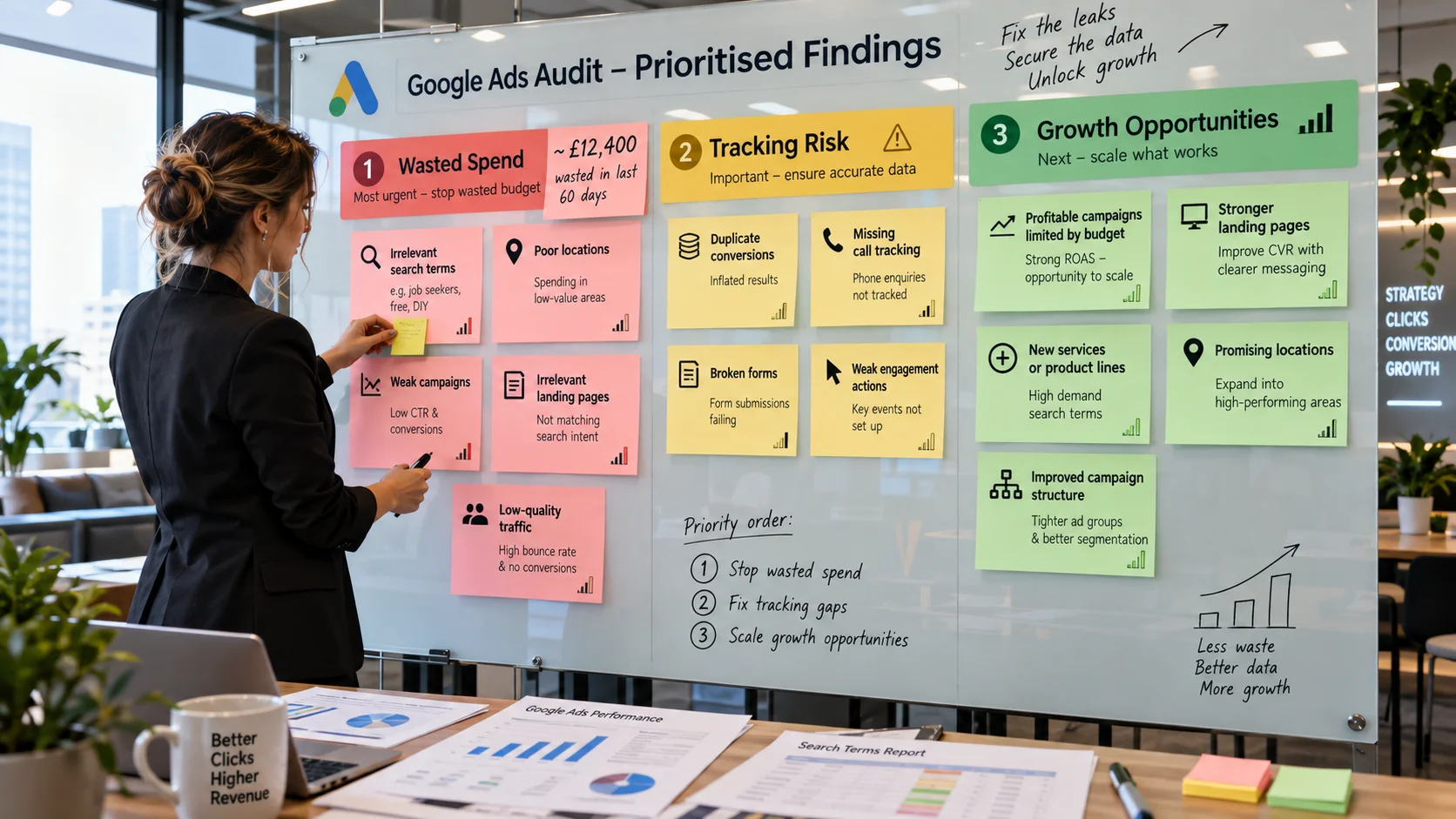
Wasted Spend
Start with money being spent without enough value.
Examples include:
- irrelevant search terms;
- poor locations;
- weak campaigns;
- irrelevant landing pages;
- low-quality traffic.
Where possible, put a value against the problem.
Instead of:
Search terms need improvement
write:
£620 spent on irrelevant or low-intent searches during the last 60 days.
That makes the commercial impact clear.
Tracking Risk
Next, identify data you cannot trust.
Examples include:
- duplicate conversions;
- missing call tracking;
- broken forms;
- weak engagement actions used for bidding.
Do not report a confident CPL if the conversion count itself may be wrong.
Growth Opportunities
Finally, identify areas where a healthy account could grow.
Examples include:
- profitable campaigns restricted by budget;
- stronger landing pages;
- new services;
- promising locations;
- improved campaign structure.
Fix major waste and tracking problems before aggressively scaling.
Google Ads Audit Priority Matrix
Use a simple table when presenting findings.
| Finding | Category | Priority | Action |
| Broken lead tracking | Tracking Risk | P1 | Repair and test |
| £900 spent on irrelevant searches | Wasted Spend | P1 | Review terms and negatives |
| Ads reaching unsuitable locations | Wasted Spend | P1 | Tighten targeting |
| Profitable campaign limited by budget | Growth | P2 | Review allocation |
| Weak landing-page message | Growth | P2 | Improve relevance |
| New service with proven demand | Growth | P3 | Test after core fixes |
This turns your Google Ads Audit into an action plan instead of a technical report.
Short Google Ads Audit Checklist
Use this checklist during the account review.
Tracking
- Primary conversions represent meaningful outcomes.
- Important forms work correctly.
- Calls are tracked where required.
- Duplicate conversions have been checked.
- Enhanced conversions have been reviewed.
- Consent and advertising tags have been checked.
Search and Targeting
- Locations match the service area.
- Poor locations are excluded where appropriate.
- Search terms have been reviewed.
- Negative keywords make sense.
- Match types are intentional.
Campaigns and Budget
- Campaign structure matches the business.
- Budget follows valuable demand.
- Strong campaigns are not unnecessarily restricted.
- Weak campaigns are not consuming excessive spend.
- Bidding relies on trustworthy data.
Ads and Landing Pages
- Ads match search intent.
- Landing pages match the advert.
- Mobile usability is strong.
- Forms and calls are easy to complete.
- Trust information is visible.
Commercial Results
- CPL is understood.
- Customer acquisition cost is known where possible.
- Lead quality is reviewed.
- Sales feedback reaches the PPC team.
- Budget decisions connect with business value.
What Should You Fix First?
If your Google Ads Audit finds twenty issues, do not change everything immediately.
Start with P1 problems.
Fix broken tracking. Stop obvious wasted spend. Correct serious location issues. Repair conversion actions that are misleading automated bidding.
Then move to P2 improvements such as campaign structure, landing pages and budget allocation.
P3 growth tests should come later.
This keeps the work focused on the issues with the greatest business impact.
Keep a Google Ads Audit Change Log
Record important changes after the audit.
A simple log can include:
- date;
- issue;
- action taken;
- reason;
- expected result;
- actual result.
This becomes useful when several people work on the account.
It also prevents teams from repeating old tests because nobody remembers what happened previously.
How Often Should You Run a Google Ads Audit?
Routine campaign management and a full Google Ads Audit are different things.
A deeper review can be useful every few months or after an important performance change.
Reasons to run another audit include:
- rapidly increasing CPL;
- falling lead quality;
- missing conversions;
- sudden traffic changes;
- a new agency taking over;
- major changes to services or locations.
The correct frequency depends on the size and activity of the account.
How Wixdek Approaches Google Ads Audits
At Wixdek, we believe every finding should answer one question:
Why does this matter to the business?
A poor search term matters because money is being wasted.
Broken tracking matters because reports and bidding cannot be trusted.
A profitable campaign limited by budget matters because valuable demand may be missed.
A weak landing page matters because you are paying for visitors who do not convert.
That is why our Google Ads Audit approach ranks findings by commercial impact rather than filling reports with unnecessary jargon.
Need a Second Pair of Eyes on Your Google Ads Account?
If your account is spending money but you cannot clearly explain which campaigns create useful leads, a Google Ads Audit can help identify where the problems sit.
Wixdek can review search terms, conversion tracking, campaign structure, locations, budgets, landing pages and lead quality.
Our PPC agency in London service focuses on reducing wasted spend and connecting paid campaigns with measurable business outcomes.
The audit should answer three questions:
What is wasting money?
Which numbers can we trust?
Where is the next growth opportunity?
Frequently Asked Questions
What is a Google Ads Audit?
A Google Ads Audit is a structured review of an advertising account. It checks tracking, targeting, search terms, budgets, bidding, ads, landing pages and commercial performance to identify waste and opportunities.
What should I check first in a Google Ads Audit?
Start with conversion tracking.
If conversion data is unreliable, your CPL, bidding and campaign decisions may also be unreliable. Then review obvious wasted spend such as irrelevant search terms and poor locations.
How often should I perform a Google Ads Audit?
There is no universal schedule.
A deeper Google Ads Audit may be useful every few months, after major account changes or when performance changes sharply. Routine campaign management should happen more regularly.
How do I find wasted Google Ads spend?
Review search terms, locations, campaigns, keywords, devices, landing pages and lead quality.
Compare spending with qualified leads and real customers rather than clicks alone.
Should I audit search terms or keywords?
Both.
Keywords form part of your targeting setup. Search terms show the actual searches people made before seeing or clicking your advert.
Should every conversion be primary?
No.
Primary conversions should represent outcomes that matter to the business and bidding strategy. Smaller engagement actions may be more suitable for observation.
Can location targeting waste money?
Yes.
Local businesses can spend money outside their useful service areas when location settings and geographic performance are not reviewed carefully.
Does a high Quality Score mean my campaign is profitable?
No.
Quality Score is a diagnostic metric. Profitability also depends on CPC, conversion rate, lead quality, sales performance and customer value.
What are common Google Ads tracking problems?
Common problems include duplicate conversions, missing calls, broken form tracking and low-value actions being treated as important conversions.
These problems should be checked early during a Google Ads Audit.
When should I increase my Google Ads budget after an audit?
Increase spend when tracking is trustworthy, leads or sales are commercially valuable, and the campaign has evidence of additional useful demand.
Do not increase budget simply because more money is available.