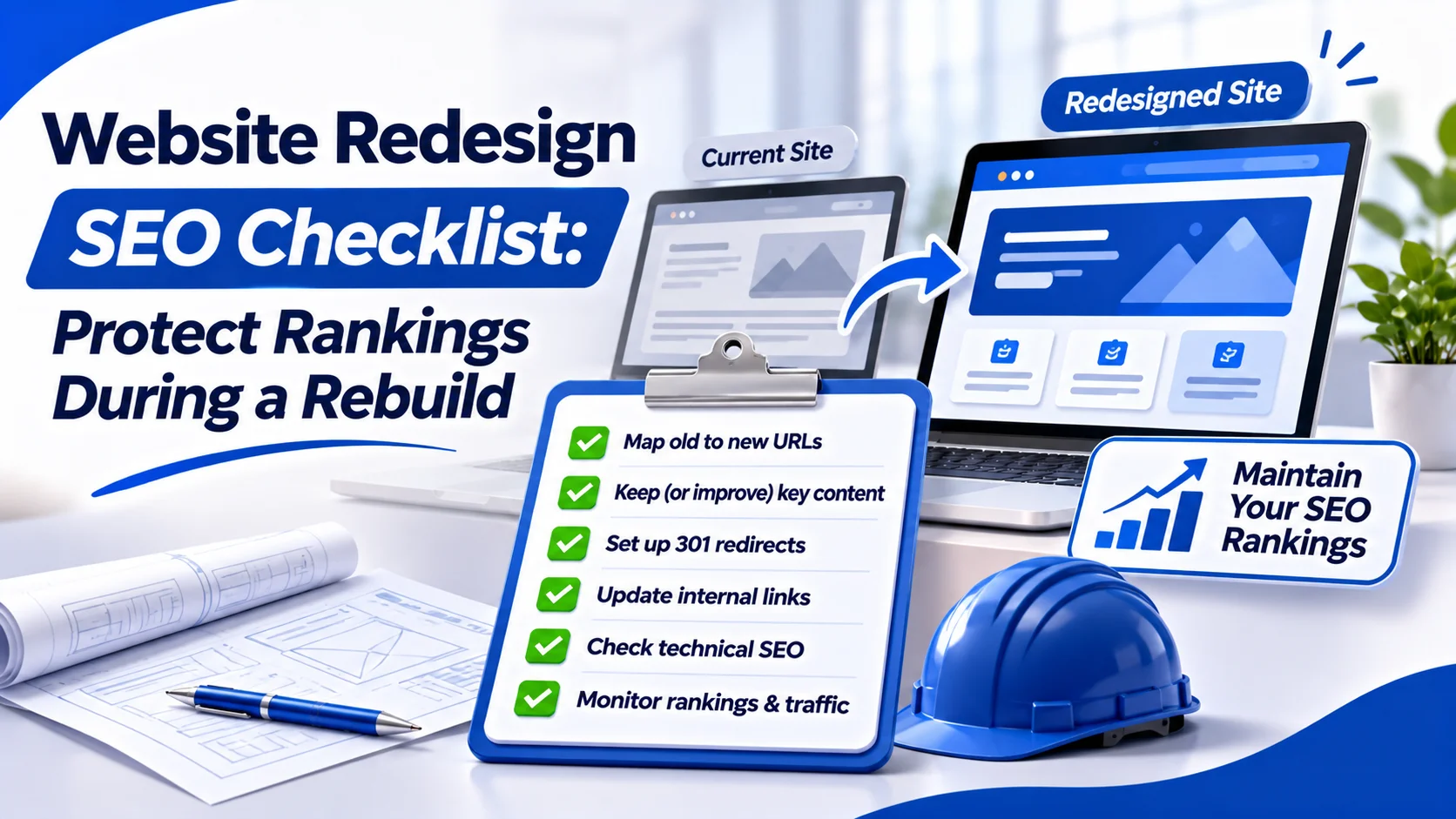
A Website Redesign should improve your site without removing the pages, links and search signals that already work. To protect SEO, audit the current website, preserve valuable content and URLs, test the rebuild and check everything again after launch. Problems often begin before launch.
A designer may change a service-page URL, remove useful content or simplify navigation without checking the SEO impact. The website may look better while important pages become harder to find. This Website Redesign SEO checklist covers what to approve before launch, what to test on launch day and what to monitor afterwards.
What Can Go Wrong During a Website Redesign?
A Website Redesign does not automatically damage rankings. Problems happen when the rebuild changes how Google finds, reads or understands your pages. For example, a London building company might replace several detailed service pages with one attractive Our Services page.
The new design may look cleaner, but people searching for specific services can lose the information they need.
Before approving the rebuild, decide which pages should remain and what genuinely needs changing.
| Redesign change | SEO risk | What to approve |
| New page layout | Important content disappears | Check headings and service details |
| New navigation | Valuable pages lose internal links | Review menu and contextual links |
| Changed URLs | Old links stop working | Approve relevant 301 redirects |
| New CMS or theme | Canonical or indexing settings change | Test rendered pages and metadata |
| New hosting | Pages become unavailable or slow | Test access and server response |
| New forms | Enquiries stop being tracked | Test submissions and analytics |
Design and SEO checks should be approved together.
Before Launch: Prepare the Website Redesign
The safest time to find problems is while the new website is still being built.
Budget for:
- redirects;
- content checks;
- technical testing;
- launch monitoring.
Do not budget for design work alone. Our planned guide How Much Does a Business Website Cost? covers the wider pricing decisions.
1. Audit the Existing Website
Crawl your current website using a tool such as Screaming Frog SEO Spider.
Export:
- live URLs;
- title tags;
- headings;
- canonical tags;
- status codes;
- internal links.
Then review at least 12 months of Google Search Console data where enough history exists.
Look for pages generating:
- clicks;
- impressions;
- useful search queries.
Use GA4 to identify pages supporting enquiries, purchases or other tracked actions. Also review backlinks to find old URLs that external websites still use. This gives you a clear pre-redesign baseline.
2. Keep Valuable URLs Where Possible
Changing the appearance of a website does not mean its URLs need changing. If a service page still covers the same topic, keeping its existing address usually avoids unnecessary migration work.
For example:
https://example.co.uk/boiler-repairs/
If the business still provides boiler repairs, the page can keep that URL while its design improves.
Only change URLs when there is a clear reason, such as:
- merging duplicate pages;
- correcting poor structure;
- changing the page purpose.
3. Approve Content Before Approving Designs
Design mock-ups often use shorter copy. That may look cleaner but can remove information customers need. Before approving a new page, compare it with the existing version.
Check whether important:
- service details;
- locations;
- FAQs;
- internal links
have been retained or improved. Do not keep every sentence simply for SEO. Remove outdated information, but make sure the new page still satisfies the same search intent.
For example, replacing a detailed Commercial Boiler Repair page with one short paragraph about general heating changes what the page offers. Approve content and search purpose alongside the layout.
4. Review Navigation and Internal Links
A new menu may look simpler while making important services harder to reach.
Check that the:
- homepage;
- service hubs;
- relevant supporting pages
still link to priority destinations. For a property-maintenance website, someone reading a roof-leak guide should still be able to reach the relevant repair service. Use descriptive HTML links rather than depending only on JavaScript-controlled buttons.
Keep navigation clear without hiding useful pages simply to reduce menu items.
5. Build a Redirect Map for Changed URLs
When a URL changes, map the old address to its closest relevant replacement.
| Old URL | New URL | Decision |
| /old-roof-repairs/ | /roof-repairs/ | 301 redirect |
| /boiler-installation/ | /boiler-installation/ | Keep unchanged |
| /old-contact/ | /contact/ | 301 redirect |
| /expired-event/ | No equivalent | Review 404 or 410 |
These examples are illustrative, not Wixdek project results. Use server-side permanent redirects for pages that moved permanently. Avoid redirecting unrelated old pages to the homepage.
That can confuse visitors and may lead to soft 404 classifications. For more complex canonical decisions, see our planned Canonical URLs Explained for WordPress and Service Websites guide.
6. Protect the Staging Website
Your staging website is where the Website Redesign should be tested before launch. Protect it with authentication or restricted access so search engines and visitors cannot freely access unfinished content. If a public test environment must remain available, appropriate noindex controls can reduce the chance of it appearing in search.
Authentication offers stronger protection. Make sure staging settings are not accidentally copied to the live website.
Before Launch: Test the Rebuilt Website
Do not approve a Website Redesign based on screenshots alone. The working website needs technical testing.
Check Crawling, Indexing and Canonicals
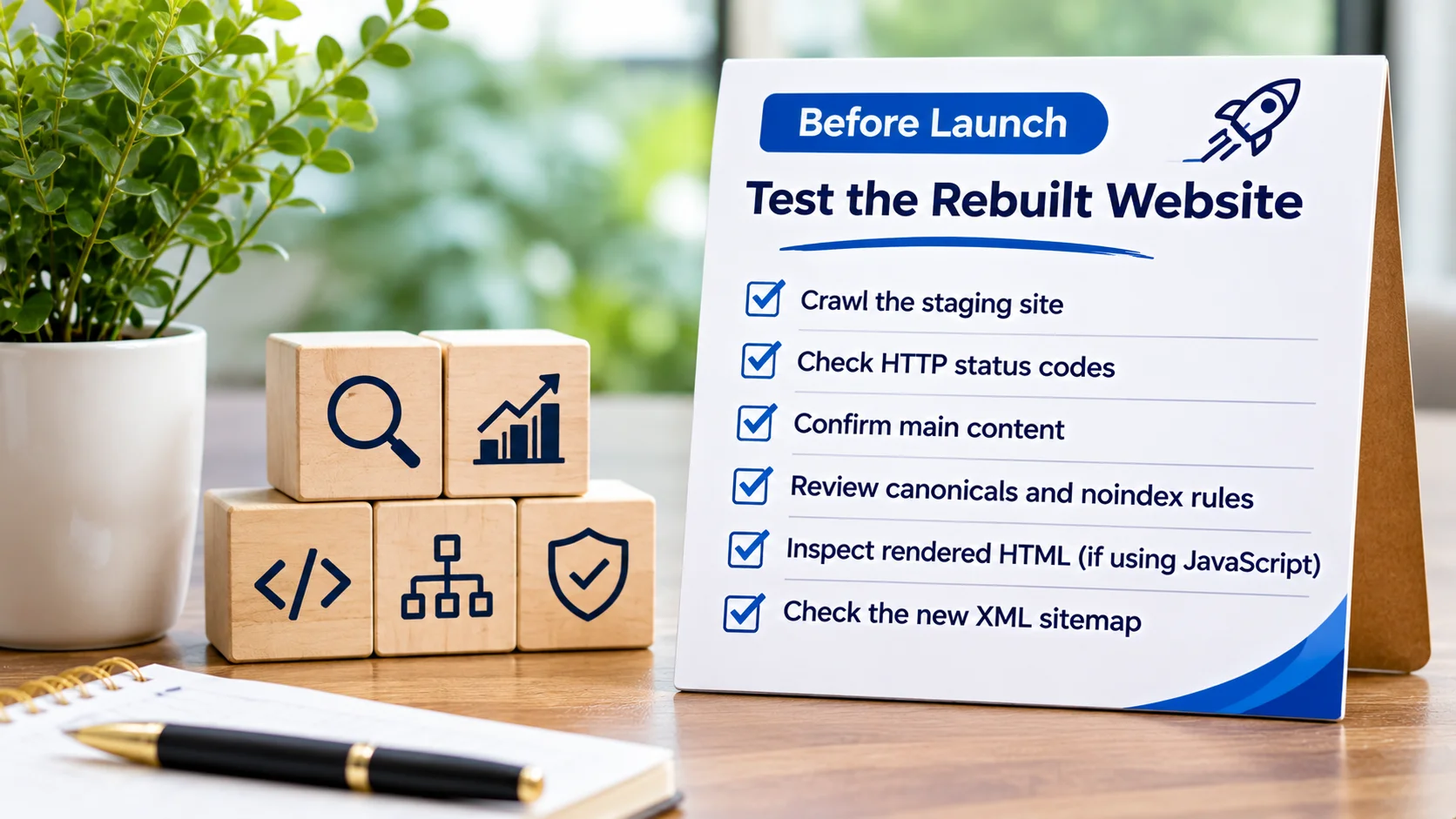
Crawl the staging website where access allows.
Check that important pages:
- return the expected HTTP response;
- contain the correct main content;
- use the intended canonical;
- do not contain unwanted noindex rules.
If JavaScript displays important text or navigation, inspect the rendered HTML. Also review the new XML sitemap and confirm it lists suitable live, indexable URLs.
Check Mobile Pages and Website Speed
Test key templates on real mobile devices.
Look for:
- hidden service content;
- difficult navigation;
- layout movement;
- broken forms.
Use PageSpeed Insights on representative pages.
Focus on problems introduced by the redesign, including:
- oversized hero images;
- unnecessary scripts;
- unstable layouts.
The goal is a usable website, not simply a higher test score.
Test Enquiries and Analytics
Submit real test enquiries through staging or another controlled environment.
Check:
- confirmation messages;
- email delivery;
- CRM connections;
- GA4 events;
- phone-click tracking;
- other conversion measurements.
If tracking breaks at launch, comparing the new site with the old one becomes much harder.
How to Approve a Website Redesign Without Missing SEO Risks
Give each design or development change a named owner and clear approval condition.
A risk register can stop a page being marked complete while an SEO issue remains unresolved.
| Change | Risk | Approval condition | Owner |
| Replace service page layout | Important copy removed | Core service details checked | Content lead |
| Simplify main navigation | Service pages become harder to reach | Internal paths tested | SEO lead |
| Rename page URL | Old backlinks lead to errors | Relevant 301 tested | Developer |
| Launch new WordPress theme | Unexpected noindex or canonical | Live HTML checked | Developer |
| Replace contact form | Lost enquiry tracking | Test submission recorded | Marketing lead |
This is an illustrative register.
A real project should also record:
- affected URL;
- risk level;
- evidence;
- approval status;
- launch decision.
Do not approve launch-critical changes until their SEO checks pass. If a serious issue remains, decide whether it must be fixed before launch or has a safe documented workaround. If you are reviewing proposals before the rebuild, our planned guide Choose a Web Design Agency Without Buying Promises explains what to assess.
Launch Day: Website Redesign SEO Checklist
On launch day, confirm that the approved Website Redesign is the version actually being served.
Use a clear owner for each check.
- Confirm live pages load and return expected status codes.
- Remove unintended live noindex and robots.txt restrictions.
- Activate and test approved 301 redirects.
- Check canonicals point to the correct live URLs.
- Verify important headings, content and internal links.
- Publish the correct XML sitemap and submit it in Search Console.
- Test forms, phone links and conversion tracking.
- Check mobile layouts and priority service pages.
Also test a sample of old URLs and all high-priority pages. A working homepage does not prove the whole redesign launched correctly. If the domain also changed, follow Google’s site-move guidance and the relevant Search Console Change of Address process.
After Launch: Check Whether Rankings Are Protected
Google needs time to crawl and process changed pages. Some visibility movement can happen after a rebuild, particularly when content or URLs changed. However, do not dismiss a serious drop as normal without investigating.
Check Search Console for New Errors
Inspect important service pages in Google Search Console.
Look for:
- unexpected exclusions;
- 404 errors;
- redirect problems;
- incorrect canonical selections.
Compare indexable pages before and after launch.
If important pages disappear, check their:
- live HTML;
- internal links;
- server responses.
Compare Traffic and Enquiries
Use your pre-launch baseline to compare:
- organic clicks;
- landing-page sessions;
- tracked enquiries.
Focus on pages that mattered before the Website Redesign, rather than looking only at total website traffic. For example, a roofing page may retain traffic but lose enquiries because its contact button is harder to use. That is still a redesign problem even if rankings remain similar.
Account for seasonal demand and other marketing changes when comparing results.
Keep Redirects and Fix Broken Links
Review the redirect map after launch. Make sure old URLs still reach relevant destinations. Google advises keeping site-move redirects for at least one year where possible.
Keeping useful redirects longer may also help visitors using old links. Update internal links to point directly to final URLs instead of relying on redirects. Prioritise old URLs with valuable backlinks.
What If Rankings Drop After a Website Redesign?
Start with the affected pages and compare them with your pre-launch baseline.
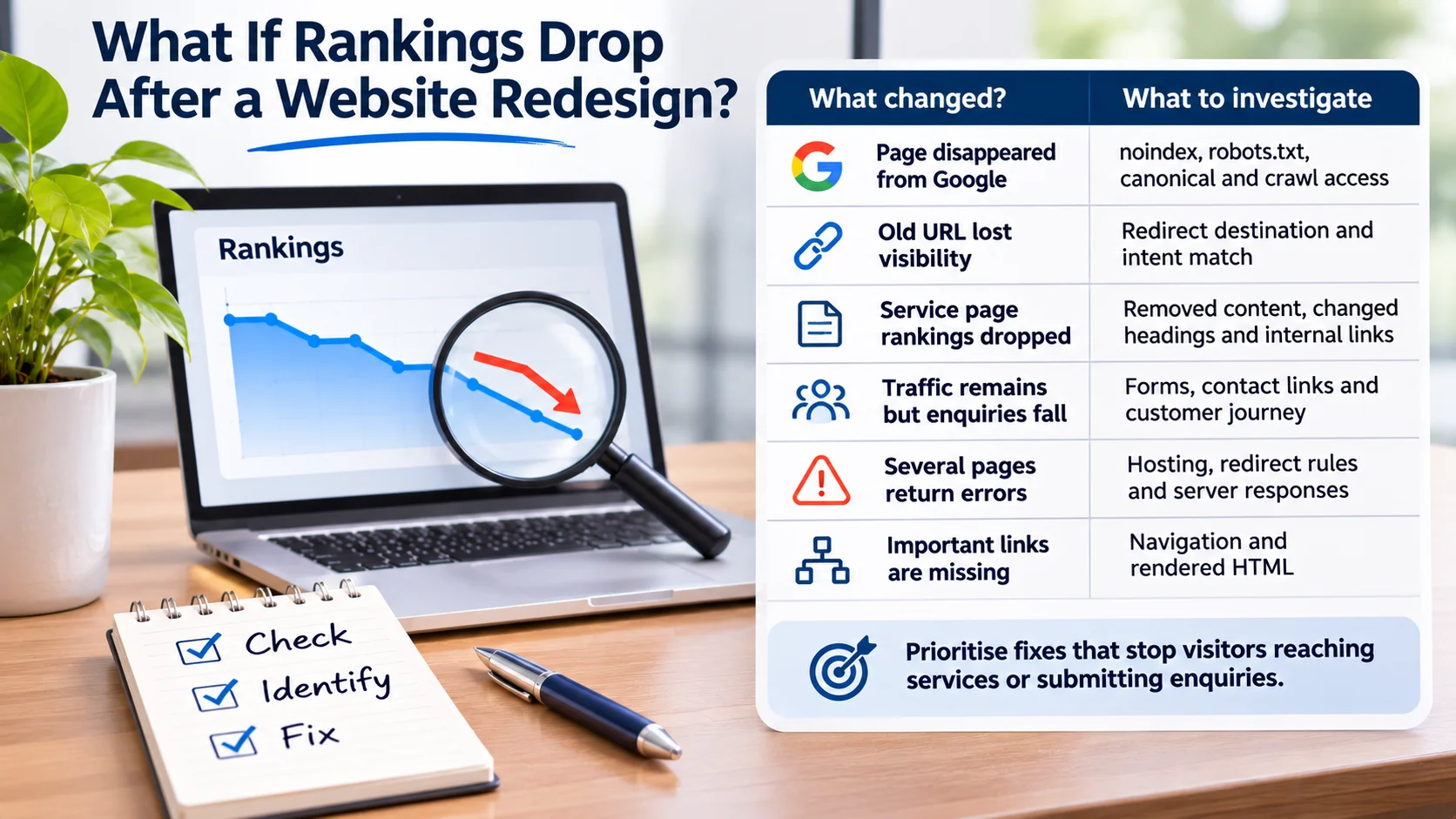
Do not change the whole website again before finding the cause.
| What changed? | What to investigate |
| Page disappeared from Google | noindex, robots.txt, canonical and crawl access |
| Old URL lost visibility | Redirect destination and intent match |
| Service page rankings dropped | Removed content, changed headings and internal links |
| Traffic remains but enquiries fall | Forms, contact links and customer journey |
| Several pages return errors | Hosting, redirect rules and server responses |
| Important links are missing | Navigation and rendered HTML |
Prioritise problems that stop visitors reaching services or submitting enquiries. A missing service page needs a different fix from a broken contact form. Keep a record of each correction so you can verify whether it worked.
Website Redesign SEO Checklist
Use this final Website Redesign checklist when signing off the project.
| Project stage | Approval check |
| Before design | Current URLs, search performance and conversions recorded |
| Content approval | Important page intent and useful information preserved |
| Navigation approval | Priority pages remain linked and accessible |
| Development approval | Technical SEO settings and rendered content tested |
| Redirect approval | Changed URLs mapped to relevant destinations |
| Launch approval | Live crawling, indexing, forms and analytics checked |
| Post-launch | Errors, organic traffic and enquiries monitored |
A redesign is complete when the website works for visitors and search engines, not simply when the new design goes live.
Frequently Asked Questions
What Is a Website Redesign?
A Website Redesign updates the appearance, structure, content or functionality of an existing website while keeping or improving its ability to serve users.
Can a Website Redesign Affect SEO Rankings?
Yes. Changing content, URLs, internal links or technical settings can affect rankings. A careful audit and launch process helps reduce avoidable problems.
Should You Change URLs During a Website Redesign?
Keep existing URLs when they are still suitable. If a change is necessary, redirect the old address to a relevant replacement and test it.
How Long Does SEO Take to Recover After a Website Redesign?
There is no fixed timeframe. It depends on what changed and how quickly Google processes the new pages. If visibility drops sharply, investigate technical and content issues rather than simply waiting.
Should You Keep Old Pages During a Rebuild?
Keep or improve pages that still serve a useful purpose. If pages are merged or retired, handle their content, links and redirects carefully.
Need Help With a Website Redesign?
A better-looking website should not lose the pages and customer journeys that already generate enquiries. Wixdek helps UK businesses review Website Redesign risks, test technical changes and protect search visibility during rebuilds. Explore our Technical SEO services to review your redesign before launch or investigate problems after a rebuild.
By Wixdek