
A website can collect a lot of seo content over the years. Old blogs stay live. New service pages get added. Similar articles start covering the same topic. Some pages bring traffic but no enquiries. Others get very little traffic but still support an important service. So what should stay? What should be updated? And when should you actually remove a page?
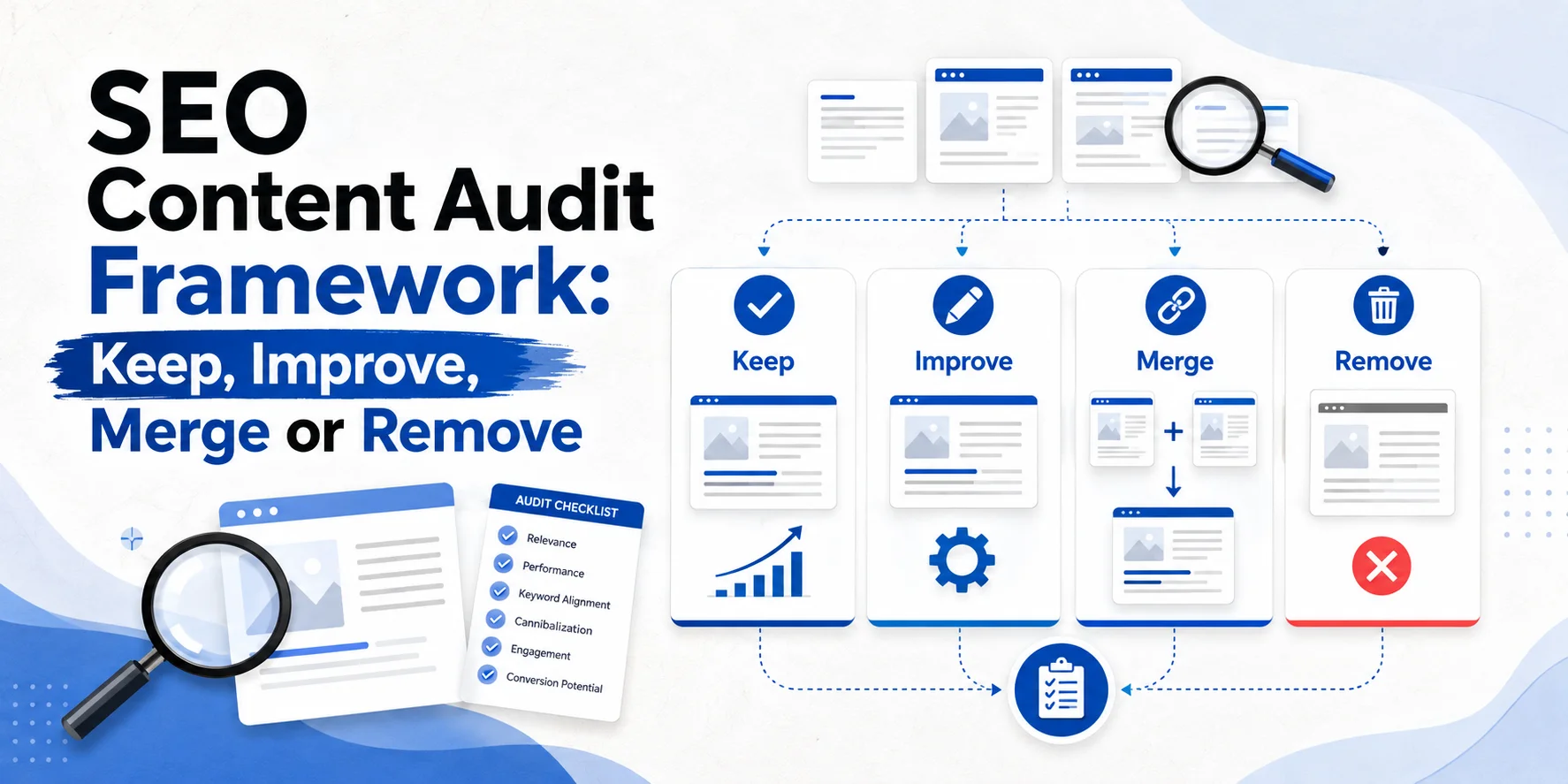
An SEO content audit helps you answer those questions with evidence rather than guesswork. At Wixdek, we use a simple way to think about each useful URL:
Keep → Improve → Merge → Remove
The important bit is deciding which action fits the page. Low traffic alone is not enough reason to delete content. You also need to look at search queries, current visibility, backlinks, conversions, search intent, duplication and the wider role of the page. Google’s own people-first content guidance warns against removing lots of older content simply because you think it will make a website look “fresh”. Content should be reviewed based on whether it remains useful. Read Google’s people-first content guidance.
Here is a practical SEO content audit framework you can use.
What Is an SEO Content Audit?
An SEO content audit is a review of the existing pages on your website. It helps you understand what is working, what needs attention and where several pages may be doing the same job. A website content audit may include service pages, location pages, blogs, guides, case studies, product or category pages and older campaign landing pages.
The goal is not to delete as much content as possible. The goal is to give every useful page a clear purpose. At the end of the audit, each page should normally receive one of four decisions:
| Decision | What it means |
| Keep | The page is useful and doing its job |
| Improve | The page has value but needs work |
| Merge | Two or more pages overlap and would work better together |
| Remove | The page no longer provides enough user or business value |
That sounds simple. The difficult part is knowing which box to tick.

What Data Should You Check Before Making a Decision?
Don’t judge a page from one number. A page with 20 visits may be useful. A page with 5,000 visits may be almost worthless to the business. Before deciding what happens to a URL, look at several signals together.
Search Queries
Start with Google Search Console. Look at the searches that make the page appear in Google. Ask whether those queries match what the page is supposed to do. A London commercial-cleaning page getting impressions for commercial cleaning services is doing something useful. The same page appearing mainly for “how to clean an office desk” may be attracting the wrong intent.
Search Console lets you review queries, clicks and impressions by page. It also allows you to select a query and see which URLs Google has shown for it. See Google’s Search Console Performance guidance. That data is especially useful when deciding whether pages should be improved or merged.
Current Search Visibility
Next, check whether the page is already appearing for useful searches. A page sitting in positions where it earns impressions but few clicks may still have potential. It may need a better match to search intent, stronger content or a clearer title. Do not treat a page with low clicks as dead without checking its impressions and queries first.
Google recommends focusing on trends in clicks and impressions rather than relying only on average position.
Conversions
Now look closer to the business.
Does the page produce:
- phone calls,
- forms,
- bookings,
- sales,
- downloads,
- or another useful action?
A page receiving only 100 organic visits a month may generate five strong enquiries. Another may receive 3,000 visits and produce none. If you look only at traffic, you may make the wrong decision.
Backlinks
Check whether other websites link to the page. A low-traffic guide may still have earned useful editorial links. Deleting it without checking those links may throw away authority that could have been preserved or consolidated. You also need to ask whether the links are relevant and genuine. Raw backlink numbers alone are not enough.
Search Intent
Every page should have a job. Is it designed to educate? Compare options? Sell a service? Support a local search? Answer a specific customer problem? When a page does not have a clear purpose, it often starts overlapping with other URLs.
Duplication and Overlap
Look for pages saying almost the same thing.
This often happens when websites create articles such as:
- “SEO Cost London”
- “How Much Does SEO Cost in London?”
- “London SEO Pricing Guide”
- “SEO Agency Prices London”
These might sound different, but they could all end up serving almost the same search intent. That does not automatically mean Google will “penalise” the website. It does mean you should ask whether all four pages genuinely deserve to exist.
The Wixdek Keep, Improve, Merge or Remove Framework
Now you can assign each page an action.

Keep: The Page Is Already Doing Its Job
Keep a page when it is useful, accurate and still serves a clear purpose. It may already attract useful search queries, leads, links or consistent visibility. A page does not need to rank number one to earn a Keep decision. For example, imagine a London pest-control company has a guide about signs of a rat infestation.
The page brings steady organic clicks. People spend time reading it. It links naturally to the rat-control service page, and some visitors continue to request help. There is no good reason to rewrite the whole thing just because it is two years old.
What Should You Do With a Keep Page?
Check that the information is still accurate. Fix anything genuinely outdated. Make sure important internal links still work. Then leave it alone and monitor performance. Sometimes the best SEO action is not making unnecessary changes. Google specifically advises site owners to focus on useful content rather than changing pages simply to appear fresher.
Improve: The Page Has Value but Needs Work
Choose Improve when a page has a useful purpose but is not doing that job well enough. You may find relevant impressions but weak clicks. The page may rank for valuable searches but sit below stronger competitors. It might also generate traffic while struggling to turn visitors into enquiries. This is where content optimisation makes sense.
What Might Need Improving?
The problem could be outdated information. It might be poor search intent alignment. The page may have a weak opening, unclear service information, missing evidence, poor internal links or a weak conversion path. Do not automatically solve this by adding more words. A page does not become more useful because it went from 1,000 words to 2,000.
Google says there is no preferred word count for content. The focus should be whether the page provides useful and complete information for its audience.
Example: Improve
Imagine an electrician has an emergency electrician page that still receives good impressions. Clicks have fallen, and competing pages now explain emergency availability, common call-outs, areas served and what happens after the customer calls. The existing page still targets the correct intent. It does not need to be deleted. It needs to become more useful.
That is an Improve decision.
Merge: Several Pages Are Doing the Same Job
Choose Merge when two or more pages overlap so heavily that keeping them separate provides little extra value. This is common on older websites. A business may create one article this year and another similar article two years later without checking what already exists. Eventually, several pages target almost the same searches.
How to Spot a Merge Opportunity
Check Search Console. If very similar queries repeatedly show several related URLs, look at what each page actually offers. Ask whether they answer different needs. If they do, keeping them separate may be correct. If they are basically two versions of the same answer, consolidation may make more sense. This distinction matters because seeing two pages for one keyword does not automatically mean you have keyword cannibalisation.
The search intent must overlap too. Our upcoming guide on how to fix keyword cannibalisation without losing rankings goes deeper into that decision.
What Should You Keep When Merging?
Do not simply pick the longest page. Compare both URLs. Keep the strongest useful sections, original examples, valuable search coverage and important links. Then build one clearer page. If one old URL is permanently replaced by the consolidated page, use an appropriate permanent redirect rather than leaving visitors at a dead end. Google describes redirects as a strong canonicalisation signal and recommends redirects when an old URL has been replaced by another URL. Read Google’s duplicate URL and canonical guidance.
Example: Merge
Imagine a cleaning company has these two articles:
- How Often Should an Office Be Cleaned?
- and
- How Often Does Your Workplace Need Cleaning?
- Both target the same audience.
- Both answer almost the same questions.
- Neither has a unique purpose.
- One performs slightly better and has useful backlinks.
Instead of updating both and making them compete for attention, you could combine the best material into one stronger guide and redirect the retired URL where appropriate. That is content consolidation, not random deletion.
Remove: The Page No Longer Has a Useful Purpose
Removing content should normally be the last option, not the first. Choose Remove when a page has no meaningful purpose and there is little reason to improve or merge it. For example, the information may be completely obsolete. The business may no longer offer the service. The page may have been created years ago purely to target a keyword and provide almost no real value.
Or it may duplicate stronger content while offering nothing worth preserving.
Low Traffic Is Not Enough
This point matters. A page should not automatically be removed because Google Analytics says it had zero organic visits last month.
Before removing it, ask:
- Does it get impressions?
- Does it rank for a useful query?
- Does another website link to it?
- Does it support an important customer journey?
- Does it contain information that belongs somewhere else?
- Does it serve an important business purpose?
- Can it be improved?
- Can it be merged?
- Only then make the removal decision.
Google explicitly says that adding lots of new content or removing lots of older content merely to make a site seem fresh will not help for that reason alone.
Should a Removed Page Always Redirect?
No.
A redirect should have a useful destination. If an old page has been replaced by a relevant new page, a permanent redirect may make sense. If there is no genuine replacement, sending every deleted URL to the homepage is not a good cleanup strategy. Google states that when content is permanently gone and there is no similar replacement, returning a proper 404 or 410 response is appropriate. See Google’s crawling-error guidance.
The choice should depend on what happened to the content.
Your SEO Content Audit Decision Matrix
Use this framework for every page.
| Signal | Keep | Improve | Merge | Remove |
| Useful search queries | Strong | Some potential | Shared with another page | None |
| Current visibility | Good | Weak but promising | Split across similar URLs | Little or none |
| Conversions | Useful | Could improve | Split between pages | None |
| Backlinks | Worth preserving | Useful | Consolidate where relevant | None or little value |
| Search intent | Clear | Clear but weak execution | Same as another page | No useful purpose |
| Duplication | Low | Low | High | High with no unique value |
| Content accuracy | Current | Outdated or incomplete | Repeated | Obsolete |
| Business value | Clear | Potential | Better served by one page | No meaningful value |
This table should guide the discussion. It should not replace judgement.
Step 1: Build Your Content Inventory
Start with a list of your existing URLs. For a small service website, you may be able to do this manually. For a larger website, use a crawler such as Screaming Frog alongside your sitemap, Search Console and analytics data. The goal is to create one row for each page that needs reviewing. Do not start making decisions yet.
First build the picture.
Step 2: Add Search and Business Data
Your content audit spreadsheet becomes much more useful when it combines several data sources. For each URL, record useful Search Console data such as clicks, impressions and the main query themes. Then add conversions or business actions where reliable tracking exists. Add backlinks where relevant. Finally, record the page type, purpose and target search intent.
You are building context. Not collecting numbers for the sake of it.
Wixdek Content Audit Spreadsheet Model
A practical content audit template could use these columns:
| Field | What to record |
| URL | Current page address |
| Page type | Service, location, blog, guide, case study, etc. |
| Main purpose | What the page is supposed to do |
| Search intent | Informational, commercial, transactional, local |
| Main queries | Useful Search Console queries |
| Clicks | Current comparison-period clicks |
| Impressions | Current search exposure |
| Conversions | Calls, forms, bookings or sales where available |
| Backlinks | Relevant external links |
| Internal links | Important pages linking in or out |
| Similar URL | Any page with overlapping intent |
| Content accuracy | Current, outdated or partly outdated |
| Business value | High, medium or low |
| Decision | Keep, Improve, Merge or Remove |
| Priority | High, medium or low |
| Action | What should happen next |
| Owner | Who will do the work |
| Review date | When the change should be checked |
This is much more useful than a spreadsheet containing only URL, traffic and word count.
Step 3: Check Search Intent Before Making the Decision
Before choosing an action, ask:
- What job should this page have?
- A pricing page should help somebody understand cost.
- A service page should help somebody evaluate the service.
- A guide should answer an informational problem.
- A case study should provide proof.
Once that purpose is clear, it becomes easier to judge whether the page deserves to stay. Our guide to search intent mapping for service businesses will show how to decide whether a topic belongs on a service page, location page, article, comparison or another page type.
Step 4: Look for Content Overlap
Now compare related URLs. This is where you often find your biggest consolidation opportunities.
Imagine a London SEO website has:
- SEO Audit Guide
- Complete Website SEO Audit
- How to Audit Your Website
- SEO Audit Checklist
- Do all four have different purposes?
- Perhaps they do.
One may be a downloadable checklist while another is a technical guide. But if all four answer the same question in almost the same way, keeping them separate may be unnecessary. Look at intent before keywords. Two pages mentioning “SEO audit” does not automatically make them duplicates.
Step 5: Give Every Page One Decision
Now assign:
- Keep
- Improve
- Merge
- or
- Remove
- Avoid vague labels such as “maybe update”.
- A clear decision makes implementation easier.
You can always change the decision later if further evidence appears.
Step 6: Prioritise by Business Impact
You do not need to update every page at once. Start with pages closest to business value. A high-intent service page with useful impressions but poor conversion deserves attention before an old informational page with no commercial connection. A simple priority model works well:
| Business impact | Work needed | Priority |
| High | Low | Do first |
| High | Medium | High priority |
| High | High | Scope properly |
| Medium | Low | Quick improvement |
| Medium | High | Review expected value |
| Low | Low | Maintenance |
| Low | High | Usually wait |
This stops the content performance audit from becoming a six-month rewrite project.
Step 7: Implement Carefully
Do not make 200 URL changes in one afternoon just because the spreadsheet is finished. Start with the highest-confidence decisions. Improve pages where the weakness is clear. Merge URLs where the intent clearly overlaps. Remove pages only where you have checked their purpose, links and replacement options. Then test redirects and internal links. Content pruning SEO should be controlled.
It should never become “delete everything with fewer than 100 visits”.
Step 8: Monitor What Changed
After implementation, use Search Console and your analytics setup to monitor the affected pages. Look at the important queries and pages rather than only checking total website traffic. Google Search Console lets you compare periods and sort pages or queries by changes in performance. Give meaningful changes time to be crawled and reassessed. Do not reverse a sensible content decision after three days because one graph moved slightly.
Example: Keep
A London plumbing guide gets modest traffic but ranks for relevant informational searches. It also sends visitors to the emergency plumbing page and has earned a useful link from another website. The information is still accurate.
Decision: Keep.
Low traffic does not make the page useless.
Example: Improve
A commercial cleaning service page gets strong impressions but relatively few clicks and enquiries. The service is valuable, the intent is correct and the page has clear potential. However, the content is vague and does not explain sectors, service delivery or the next step.
Decision: Improve.
Keep the useful URL and make the page better.
Example: Merge
Two articles answer almost the same customer question. Search Console shows both appearing for similar queries. One has stronger links while the other contains a newer and more useful section.
Decision: Merge.
Build one stronger resource using the best parts of both, then handle the retired URL properly.
Example: Remove
An old page promotes a service the business stopped offering years ago. It has no meaningful visibility, conversions or useful backlinks. There is no current equivalent service and nothing useful to merge elsewhere.
Decision: Remove.
If there is genuinely no relevant replacement, use the correct removed-page response rather than forcing an unrelated redirect.
Before-and-After Content Audit Example
Here is how an audit may change the structure of a service website.
Before
The website has 70 blog posts. Several cover almost identical topics. Important service pages are thin. Some old posts attract traffic but point nowhere useful. Other pages have not been checked for years.
After
The useful existing articles remain live. High-potential pages are improved. Overlapping articles are consolidated where it makes sense. Pages with no genuine purpose are removed carefully. Internal links are updated so useful informational content supports relevant commercial pages. The result is not simply “fewer pages”. It is a clearer website. That is the real aim of content pruning and consolidation.
Common Content Audit Mistakes
The biggest mistake is using one rule for every URL. For example:
“Delete anything with no traffic.”
That ignores search impressions, links, conversions, business value and search intent. Another mistake is merging pages because they share a keyword without checking whether they answer different needs. The opposite can happen too. Businesses sometimes keep several almost identical pages because they are afraid of losing rankings. A good audit uses evidence before action.
How Wixdek Approaches a Content Audit
At Wixdek, a content audit should connect search data with what the business actually needs from each page. We look at the existing URL, search queries, current visibility, search intent, conversions where available, internal links, external links and overlap with other pages. Then the page receives a clear action. Keep when it is already useful.
Improve when it has value but needs work. Merge when another URL serves the same purpose more effectively. Remove when the page no longer provides enough value and there is no good reason to improve or consolidate it. The goal is not to shrink a website. It is to make each page earn its place.
Download the Wixdek Content Audit Template
Use the Wixdek content audit spreadsheet to review your website one URL at a time. Record the page purpose, Search Console queries, visibility, conversions, links, overlap and final decision.
Download the SEO Content Audit Template
The four final choices should remain:
Keep | Improve | Merge | Remove
This gives your team a clear action rather than another report that sits untouched.
What Should You Audit First?
If you have a large website, start with the sections closest to enquiries or revenue. Review important service pages first. Then work through location pages, category pages, high-performing content and articles with clear search potential. Low-value archived material can come later. And if budget affects how much SEO work you can implement, our guide on how much SEO costs in London can help you understand how scope affects investment.
Make Better Content Decisions With Wixdek
A content audit should give you clear actions, not another spreadsheet full of numbers. Wixdek can review your existing pages, search visibility, intent, overlap and conversion opportunities to help decide what should stay, what needs work and where consolidation makes sense. Our SEO services in London cover content strategy, on-page SEO, technical SEO and ongoing implementation for businesses that need search visibility to support real enquiries.
Request an SEO Content Audit
Frequently Asked Questions
What Is an SEO Content Audit?
An SEO content audit reviews existing website pages to decide whether they should be kept, improved, merged with another page or removed.
How Do I Audit Website Content?
Create an inventory of your URLs, then review search queries, visibility, conversions, backlinks, search intent, duplication and business value before giving each page an action.
Should I Delete Pages With No Traffic?
Not automatically. Check impressions, queries, backlinks, conversions, search intent and business purpose first. A low-traffic page can still provide useful value.
What Is Content Pruning in SEO?
Content pruning is the process of reviewing weaker or outdated content and deciding whether it should be improved, consolidated or removed. It should not mean deleting pages only because traffic is low.
When Should I Improve Existing Content?
Improve a page when its purpose is still useful but the content is outdated, incomplete, poorly matched to intent or failing to convert its existing visibility into useful actions.
When Should I Merge Two Pages?
Consider merging when two pages serve almost the same search intent and one stronger page would give users a clearer answer. Check queries, links and current performance before consolidating them.
What Happens to the Old URL After a Content Merge?
If one URL has genuinely been replaced by another relevant page, an appropriate permanent redirect can help users and search engines reach the replacement.
Should Every Deleted Page Redirect?
No. If there is no relevant replacement, a proper 404 or 410 response may be more appropriate than sending users to an unrelated page.
How Often Should You Run a Content Audit?
There is no fixed rule for every website. Review content when performance changes, information becomes outdated, the site grows significantly or several pages begin overlapping.
Can a Content Audit Improve SEO?
A content audit can identify clearer ways to improve useful pages, consolidate overlap and remove genuinely obsolete material. It does not guarantee rankings, and the value comes from making and monitoring sensible changes.
