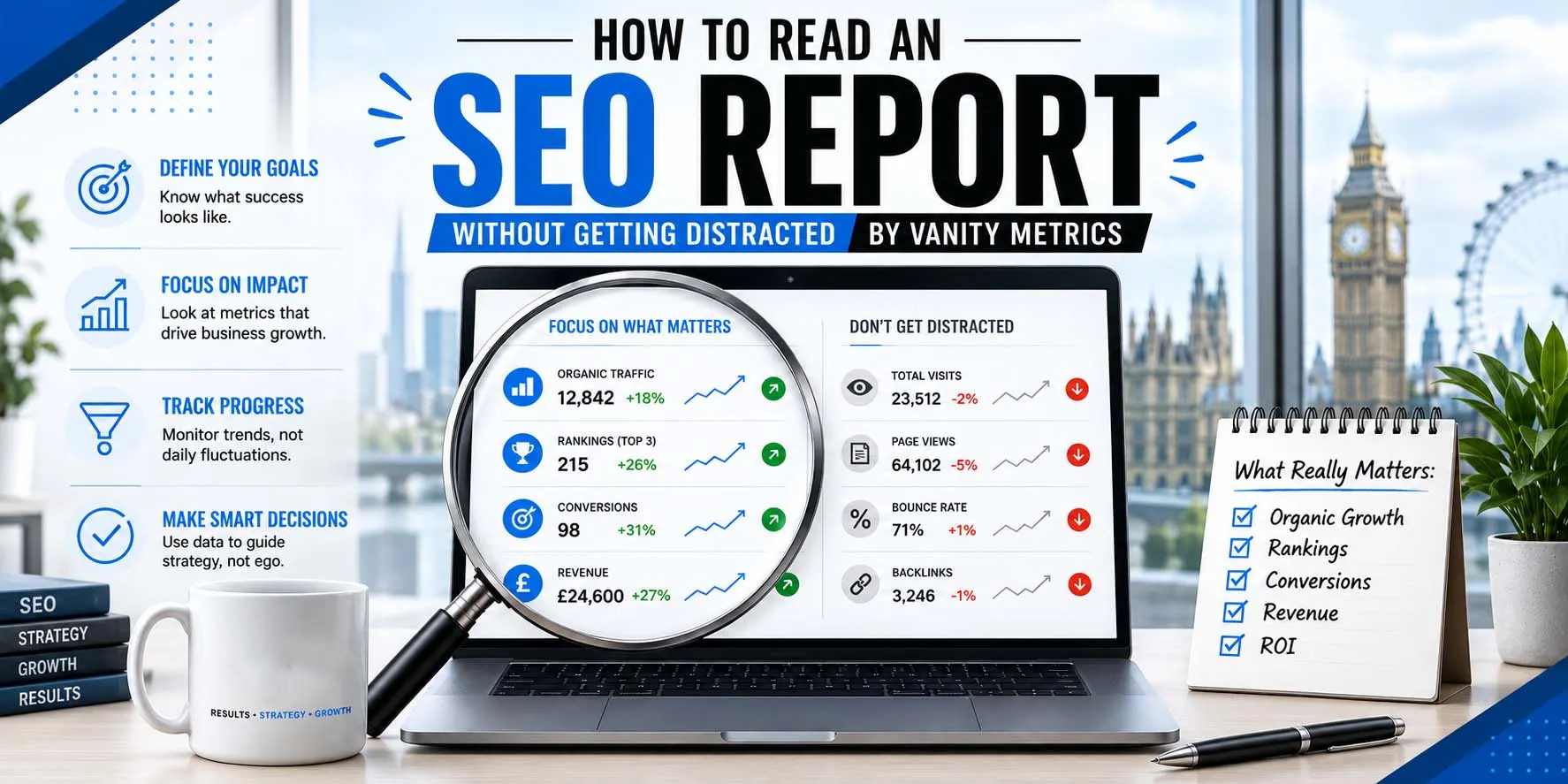
An SEO report can look impressive and still tell you very little about your business. You may see hundreds of keywords, rising impressions, new backlinks, traffic graphs and ranking changes.
But there is a simpler question:
Did SEO help bring the business closer to more useful enquiries, bookings or sales?
That is what a good monthly SEO report should help you understand. Rankings, impressions and traffic still matter. They help explain what is happening in search. But they need context. A keyword moving from position 20 to position 8 may be useful progress. It means much less if the keyword has the wrong search intent and never brings a potential customer.
This guide explains how to read an SEO report without getting distracted by SEO vanity metrics. We’ll show you which SEO KPIs deserve attention, what questions to ask, and how reporting should guide the next month’s work.
What Should an SEO Report Tell You?
A useful SEO performance report should answer five simple questions:
- What work was completed?
- What changed in search?
- Did relevant people reach the website?
- Did they take useful actions?
- What should happen next?
If you finish reading a 20-page report and still can’t answer those questions, the report needs work. The aim isn’t to fill pages with numbers. It is to help you make better decisions.
SEO Report Metrics at a Glance
You can divide most SEO reporting metrics into three groups.
| Metric group | Examples | What it tells you |
| Search visibility | Impressions, clicks, CTR, queries, average position | How people find you in Google |
| Website behaviour | Landing pages, engagement, user journeys | What people do after arriving |
| Business outcomes | Calls, forms, bookings, purchases, qualified leads | Whether SEO supports the business |
Google Search Console reports impressions, clicks, click-through rate and average position. It also lets you review performance by query and page. Google Analytics gives another side of the picture. It can help you understand what people do after they reach the website. Google recommends using Search Console and Analytics together because they measure different parts of the customer journey. Neither tool should be read on its own.
Start With Business Outcomes
When a business owner opens a monthly SEO report, the first page shouldn’t be filled with hundreds of keyword movements. Start closer to the money.
Depending on your business, look for:
- Qualified phone calls
- Contact forms
- Quote requests
- Bookings
- Ecommerce sales
- Key website actions
- Lead quality
- Conversion rate
- Organic conversions
- Revenue where reliable tracking is available
These numbers help connect SEO activity with business outcomes.
Qualified Leads Matter More Than Raw Leads
Ten enquiries aren’t always better than five. Imagine a London cleaning company receives ten organic enquiries this month. Six are outside its service area. Two want a service it doesn’t offer. Two are genuine commercial cleaning opportunities.
Reporting only “10 organic leads” hides the real story.
A useful SEO report would show that lead volume exists, but relevance needs work. The next SEO priority may then be:
- Improving location targeting
- Making service information clearer
- Updating page titles
- Refining landing pages
- Reviewing the search queries bringing visitors
That is the difference between reporting numbers and using data.
Look at Calls, Forms, Bookings and Sales
Your SEO report should show which meaningful actions can be tracked. For a local service business, that may include:
- Phone calls
- Contact forms
- Quote requests
- WhatsApp clicks
- Appointment bookings
For an ecommerce company, it may include:
- Product purchases
- Add-to-cart actions
- Checkout activity
- Revenue from organic visitors
For a B2B company, it may include:
- Enquiry forms
- Demo requests
- Consultation bookings
- Download requests
Not every business has the same conversion. That is why SEO reporting should match the way your company actually makes money.
Check Tracking Before Trusting the Numbers
A report is only as useful as the tracking behind it. Before comparing leads, ask:
- Are forms being tracked?
- Are phone calls being tracked?
- Are bookings recorded correctly?
- Are key actions set up in Analytics?
- Is Search Console connected?
- Is ecommerce tracking working?
- Are test submissions being removed from real lead totals?
A sudden drop in reported leads may be a website problem. It may also be a tracking problem. Good reporting checks the difference before jumping to conclusions.
Check Organic Traffic Quality
More organic traffic sounds good. But more traffic isn’t always better traffic. Suppose visits rise by 40% because one blog article starts ranking for a broad informational search. That may be useful for awareness. But if the goal is more plumbing enquiries in London, the report also needs to show what happened to:
- Commercial service pages
- Local landing pages
- Relevant search queries
- Calls
- Forms
- Qualified leads
Traffic should be judged by its purpose.
Ask Which Landing Pages Grew
Don’t just read:
Organic traffic increased this month.
Ask:
Which pages gained traffic?
There is a big difference between growth on:
- A core service page
- A high-value product category
- A pricing guide
- An unrelated informational article
A good organic traffic report should show important landing pages separately.
Separate Brand and Non-Brand Search
Brand searches happen when people already know your company.
For example:
- Wixdek
- Wixdek SEO
- Wixdek London
Non-brand searches are broader searches where the customer may not know you yet.
For example:
- SEO consultant London
- monthly SEO services
- technical SEO audit
- SEO agency for small business
Brand visibility is useful. But non-brand visibility often tells you more about whether SEO is helping you reach people who are still choosing a provider. Your report should review both where the data allows it.
How Should You Read Search Console Data?
Google Search Console is one of the most useful tools in an SEO report. It shows how your website performs before someone reaches the site. Key Search Console metrics include:
- Clicks
- Impressions
- Click-through rate
- Average position
- Queries
- Pages
Google also notes that average position is an average across searches and can vary by factors such as location. Its own guidance recommends paying more attention to trends in clicks and impressions than position alone. Here is how to read each metric.
Impressions
An impression means your website appeared in a Google result under the conditions Google uses for that result type. More impressions may show that Google is displaying your pages for more searches.
That can be an early positive sign. But impressions alone don’t show whether somebody visited your website.
So don’t read:
Impressions increased 70%.
and assume:
SEO produced 70% more business.
Ask what happened next.
Clicks
Clicks show how often somebody clicked from Google to your site. Clicks bring the report one step closer to real website activity.
Review:
- Which pages gained clicks?
- Which queries produced them?
- Were they relevant searches?
- Did those visitors convert?
More relevant clicks to commercial pages can be much more useful than a large increase on an unrelated page.
Click-Through Rate
Click-through rate, or CTR, is the percentage of impressions that resulted in clicks. Search Console calculates it from clicks divided by impressions. A page may gain impressions without gaining many clicks.
That could suggest the team needs to review:
- Search intent
- Page title
- Description
- Query relevance
- Search-result competition
But don’t judge CTR without context. Different searches and result types behave differently.
Average Position
Average position gives useful visibility context. It shouldn’t become the whole report. A page moving from an average position of 18 to 10 may show progress.
But you still need to know:
- Which query moved?
- Is it commercially relevant?
- Did impressions change?
- Did clicks change?
- Did the right page rank?
- Did the traffic produce anything useful?
This is why a keyword ranking report should support the wider SEO report, not replace it.

Which SEO Metrics Can Become Vanity Metrics?
A vanity metric isn’t always a useless metric. It becomes a problem when it looks impressive but has no useful context.
1. Total Impressions
Impressions help measure search exposure.
But they don’t prove that:
- People clicked
- Visitors were relevant
- Leads increased
- Revenue increased
Use impressions as part of the story, not the final result.
2. Keyword Rankings in Isolation
“27 keywords are now on page one” sounds great.
But ask:
- Which keywords?
- What is the search intent?
- Which URLs rank?
- Are the terms relevant?
- Did they produce clicks?
- Did those clicks produce useful actions?
Ranking first for the wrong search can be less useful than ranking fifth for a query used by buyers.
3. Total Organic Traffic
Traffic is useful when it brings the right people.
A large increase can still hide:
- Poor lead quality
- Irrelevant queries
- Traffic to low-value pages
- No conversion growth
Always connect traffic with pages, intent and conversions.
4. Backlink Counts
“200 new backlinks” isn’t enough information.
A report should explain:
- Where the useful links came from
- Why they are relevant
- Which pages received them
- Whether they were earned through legitimate activity
A larger number isn’t automatically better.
5. Domain Authority Scores
Third-party authority scores can be useful for comparison or research. They shouldn’t be presented as a business outcome. A rising score doesn’t automatically mean more leads, customers or sales. Use it as supporting context, not the headline result.
SEO KPIs That Deserve More Attention
The right SEO KPIs depend on the campaign. For many service businesses, a useful report may focus on:
| KPI | Why it matters |
| Qualified organic leads | Shows whether SEO is reaching useful prospects |
| Organic conversions | Connects search visits with important actions |
| Calls and forms | Measures direct enquiry activity |
| Important landing-page clicks | Shows whether commercial pages are gaining search traffic |
| Non-brand search visibility | Shows reach beyond people already searching for your name |
| Lead quality | Helps judge whether traffic matches your services |
| Conversion rate | Shows how well important pages turn visits into actions |
| Completed SEO work | Proves that agreed campaign work is being delivered |
| Open problems | Shows what is still blocking progress |
| Next priorities | Explains what happens after the report |
A report should not hide poor business outcomes behind a good-looking graph.
What Should a Monthly SEO Report Include?
A strong monthly SEO report doesn’t need to be huge. It needs to be useful.
1. Executive Summary
Start with three or four clear points.
For example:
- What improved?
- What declined?
- What was completed?
- What needs attention next?
A business owner should understand the main story without reading every page.
2. Work Completed
Show what the SEO team actually did.
This may include:
- Technical fixes
- Page improvements
- Content published
- Internal-link changes
- Tracking fixes
- Local SEO work
- Outreach
- Conversion improvements
This part matters. SEO reporting shouldn’t replace SEO delivery.
3. Search Performance
Show relevant changes in:
- Clicks
- Impressions
- CTR
- Queries
- Priority pages
- Search visibility
Include comparison periods so the numbers have context.
4. Landing-Page Performance
Highlight the pages that matter most.
Show:
- Which gained visibility
- Which lost visibility
- Which brought leads
- Which have weak conversion
- Which need further work
5. Conversions and Leads
Where tracking is available, include:
- Calls
- Forms
- Bookings
- Sales
- Key events
- Lead quality
This is where SEO reporting gets closer to business performance.
6. Problems Found
Be open about problems.
Examples may include:
- Indexing errors
- Slow approvals
- Tracking issues
- Poor conversion
- Weak click-through rates
- Content gaps
- Development delays
A useful report doesn’t only show good news.
7. Next-Month Priorities
End with actions.
For every major finding, explain what happens next.
| Finding | Possible next action |
| Impressions up but clicks flat | Review titles, intent and search-result relevance |
| Traffic up but leads flat | Review landing pages and conversion paths |
| Wrong-location enquiries | Improve geographic targeting |
| Service page losing clicks | Review queries, competitors and page content |
| New query opportunity | Improve an existing page or plan supporting content |
| Technical issue found | Assign fix, owner and deadline |
This makes reporting part of the SEO process.
How Wixdek Reads an SEO Report
At Wixdek, the report should help connect SEO work with search visibility and business activity. We look beyond one headline number. A useful review can include:
- Search Console clicks
- Search impressions
- Non-brand visibility
- Important landing pages
- Calls
- Contact forms
- Bookings
- Sales where reliable data is available
- Lead quality
- Google Business Profile actions where relevant
- Conversion rates
- Completed implementation
- Open SEO tasks
The findings should then shape the next set of priorities. For example, if a page gains visibility but produces poor-quality enquiries, the answer isn’t simply “get more traffic”. The team may need to review:
- Search intent
- Service wording
- Location targeting
- Calls to action
- Conversion tracking

The Wixdek SEO Report Scorecard
Business owners can use this simple scorecard to judge an SEO performance report.
Score each area:
0 = Missing
1 = Mentioned but unclear
2 = Clear and useful
| Check | Score 0–2 |
| Does the report explain what work was completed? | |
| Does it show clicks and impressions with context? | |
| Does it review important landing pages? | |
| Does it separate useful queries from vanity rankings? | |
| Does it show calls, forms, bookings or other conversions? | |
| Does it discuss lead quality where possible? | |
| Does it explain problems and declines honestly? | |
| Does it connect findings with actions? | |
| Does it show next-month priorities? | |
| Can a business owner understand the main story quickly? |
How to Read Your Score
17–20: Strong
The report gives useful business context and clear actions.
12–16: Needs Improvement
The basics are there, but some important context may be missing.
6–11: Weak
The report may focus too much on activity and not enough on results or decisions.
0–5: Major Reporting Gaps
Ask what is being measured, what work is being completed and how the campaign supports your business goals.
A Simple Five-Minute SEO Report Review
You don’t need to study every chart.
Use this order.
Step 1: Check the Work
What was actually completed this month? If the report cannot answer this, start asking questions.
Step 2: Check the Leads
Did organic search produce calls, forms, bookings or sales? If lead tracking isn’t available, ask why.
Step 3: Check the Quality
Were the enquiries relevant? More leads are not useful if they come from the wrong place or need the wrong service.
Step 4: Check the Important Pages
Which service, category or commercial pages improved? Don’t let one high-traffic blog hide weak performance on important pages.
Step 5: Check Search Visibility
Now review:
- Clicks
- Impressions
- CTR
- Queries
- Position trends
These numbers help explain why traffic changed.
Step 6: Check What Happens Next
The report should end with clear actions. If every month ends with “keep monitoring rankings”, the campaign may lack direction.
Compare the Right Time Periods
One month against the previous month isn’t always enough. Seasonal businesses can naturally rise and fall. A pest control company may see different search demand in summer than winter. A tax service may have seasonal peaks. A retailer may behave differently around Christmas.
Where useful, compare:
- Month against month
- Year against year
- Recent 28 days against the previous 28 days
- Performance before and after a major website change
The comparison should match the business.
Why Search Console and Analytics Numbers May Not Match
Don’t panic if Search Console clicks and Analytics sessions aren’t identical. They measure different things. Google itself explains that the two systems can show different totals, and small differences are normal because they collect and process data differently. Focus first on the overall trend. If the difference is very large, investigate tracking or technical issues.
SEO Report Red Flags
Question the report if:
- Every page leads with keyword rankings
- Traffic is shown without landing-page context
- Impressions are called leads
- Backlink numbers are shown without quality or relevance
- No calls or forms are measured
- Lead quality is never discussed
- Bad results are hidden
- No completed work is listed
- Every month contains the same tasks
- There is no next-month plan
- Tracking problems remain unresolved
- You can’t tell what the SEO team actually did
Good reporting should make the campaign clearer, not more confusing.
What Should You Ask Your SEO Agency?
If a report feels vague, ask:
- Which pages produced our most useful organic leads?
- Which non-brand searches are bringing potential customers?
- What work was completed this month?
- Which task had the biggest impact?
- Which pages are underperforming?
- Are all calls and forms being tracked?
- Has lead quality changed?
- What problems are holding us back?
- What will you change because of this report?
- What are the priorities for next month?
If the answers remain vague month after month, the issue may be wider than the report. Read SEO retainer vs one-off SEO project if you’re deciding whether your business needs ongoing SEO delivery or a fixed project.
Before appointing a provider, you can also read how to choose an SEO agency in London without wasting your budget.
For a deeper agency review, use our SEO agency selection scorecard before signing.
How Reporting Should Change Your SEO Strategy
Reporting isn’t the end of the monthly SEO process. It should feed the next one. A useful cycle looks like this:
Measure → Understand → Prioritise → Implement → Measure Again
For example:
Finding: A service page gains impressions but not clicks.
Action: Review its title, intent and search-result competition.
Finding: Organic visits rise but enquiries stay flat.
Action: Review the page’s offer, form, contact path and mobile experience.
Finding: Calls increase but most are outside the target area.
Action: Review location signals and page wording.
Finding: A new commercial query starts appearing.
Action: Check whether an existing page can answer it before creating another URL.
This is how an SEO report becomes useful. It stops being a monthly document and becomes part of the campaign.
Don’t Judge SEO With One Number
There is no single SEO metric that tells the whole story. Rankings without clicks can mislead you. Clicks without conversions can mislead you. Conversions without lead quality can mislead you. Even revenue needs context if other marketing channels helped the sale. A strong SEO report connects the pieces.
It should show:
Visibility → Relevant clicks → Useful landing pages → Conversions → Lead quality → Business outcome
That is a much better way to measure SEO performance.
Review Your SEO Reporting With Wixdek
If your monthly SEO report is full of graphs but short on useful answers, we can help you review what is being measured. Wixdek can look at your tracking, search performance, landing pages, SEO work and conversion data to identify what your report should focus on.
Explore our SEO services in London for ongoing SEO strategy and implementation.
If you already have an internal team and need independent guidance, speak with an SEO consultant in London.
Request an SEO Report Review
Frequently Asked Questions
What should an SEO report include?
A useful SEO report should include completed work, clicks, impressions, important landing pages, conversions, leads, problems found and clear next actions.
What are SEO vanity metrics?
SEO vanity metrics are numbers that can look impressive without showing business value when used alone. Examples can include raw ranking counts, impressions or backlink totals without context.
Are keyword rankings still important?
Yes. Rankings help show search visibility, but they should be reviewed with clicks, search intent, landing pages and conversions.
Are impressions a vanity metric?
Not by themselves. Impressions show search exposure. They become misleading when they are presented as proof of business growth without clicks, conversions or lead data.
Which SEO KPIs matter most?
The best SEO KPIs depend on your goals. For service businesses, qualified leads, calls, forms, conversions, important landing-page clicks and non-brand visibility are often useful.
How do I know if SEO traffic is good traffic?
Check which queries and landing pages brought visitors, then review whether those visitors completed useful actions and became relevant leads.
Should an SEO report show revenue?
Yes, when reliable revenue tracking is available. Some businesses have longer sales journeys, so calls, forms, qualified leads and assisted sales may also need to be reviewed.
Why don’t Search Console and Google Analytics match?
The tools measure different parts of the user journey and process data differently, so their totals don’t always match exactly.
How often should I receive an SEO report?
Monthly reporting is common for ongoing campaigns. The report should explain completed work, performance, problems and the priorities for the next period.
What is a good sign in an SEO report?
A good sign is not one large percentage. Look for relevant visibility, useful traffic, completed implementation, better conversion opportunities and clear next steps.